UGC for B2B SaaS: 5 Video Briefs That Help Buyers Evaluate Your Product
Build useful B2B SaaS creator content with five original video briefs, buying-group proof maps, honest disclosures, procurement checks, and a measured pilot.
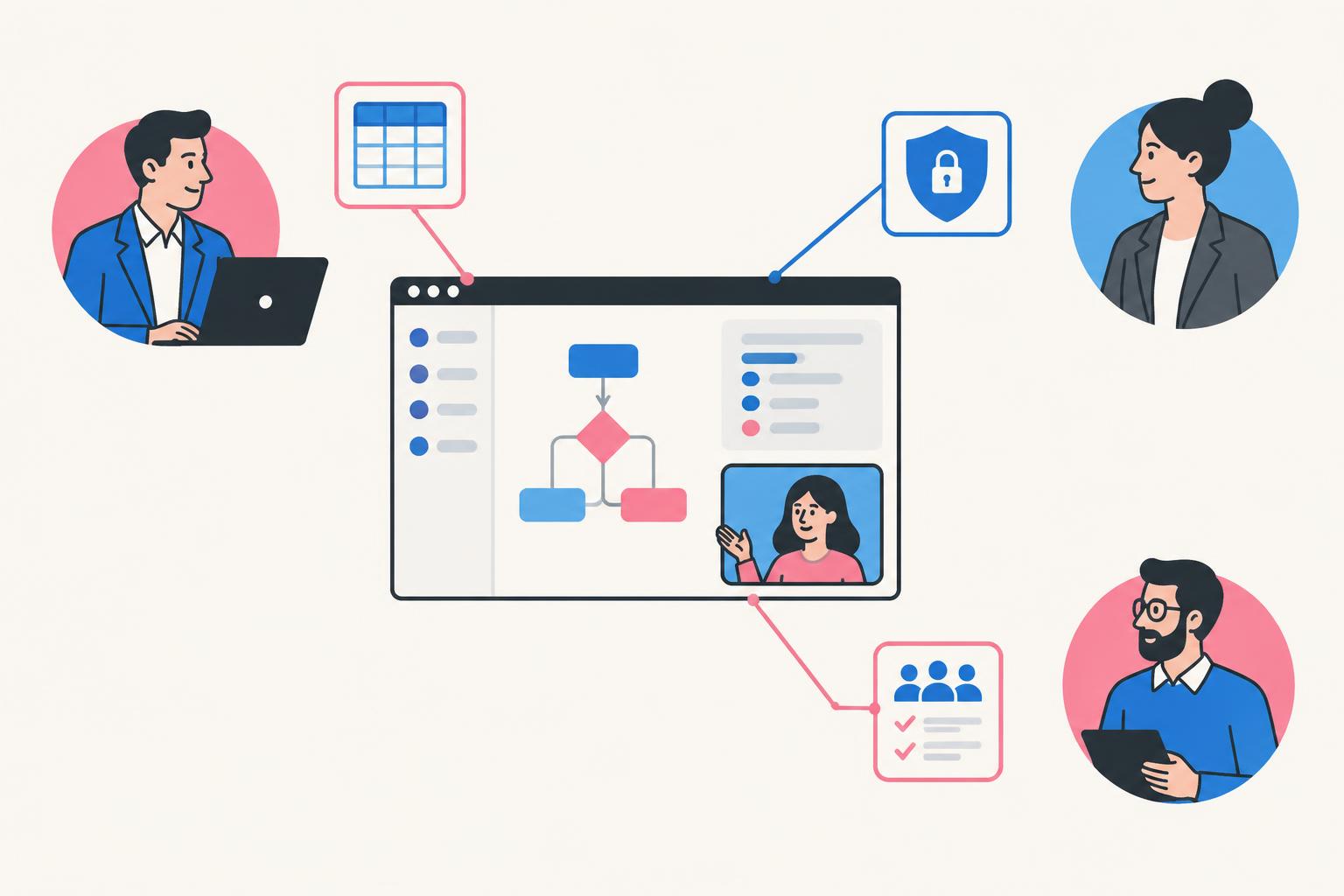
UGC for B2B SaaS is not about making enterprise software look like a lifestyle product. It is about helping a buyer understand a task, evaluate a claim, and explain the product to someone else. A creator can make the software easier to follow. A real customer can describe lived experience. Neither should be used to impersonate the other.
This guide treats creator-led content as part of a buying process rather than a collection of social clips. It provides a role-based proof map, five original video briefs, a distribution plan, procurement-aware checks, and a measurement system. The worked scenario is a hypothetical approval-workflow product for small professional-services teams. No example is presented as a client result.
What UGC for B2B SaaS Means—and What It Does Not
Strictly, user-generated content comes from users. In marketing briefs, “UGC” is also commonly used for commissioned creator-style videos. Be precise about which you are commissioning. A paid presenter who tests a demo account can describe that test honestly. They cannot credibly claim the product transformed their company unless that happened and the claim is supported.
| Format | Credible role | What it can substantiate |
|---|---|---|
| Creator demonstration | Paid creator or subject-aware spokesperson | What happens in the demonstrated workflow |
| Customer story | Actual customer with consent | Their real experience within stated conditions |
| Founder explanation | Founder or product leader | Product purpose, decisions, and current capabilities |
| Expert evaluation | Relevant practitioner with disclosed relationship | A reasoned assessment within their expertise |
| Illustrative scenario | Clearly labeled demonstration | How a hypothetical workflow could operate |
This is not an argument against paid creators. A good creator can translate complex software into a clear, watchable story and become a recognizable spokesperson backed by a creative team. The value is explanation, presentation, and production—not a manufactured user history.
For genuine customer-story production, use the video testimonial production guide. The concepts in this guide focus on honest demonstration and buyer enablement, without reusing existing portfolio embeds.
Map the Buying Group Before Choosing Video Formats
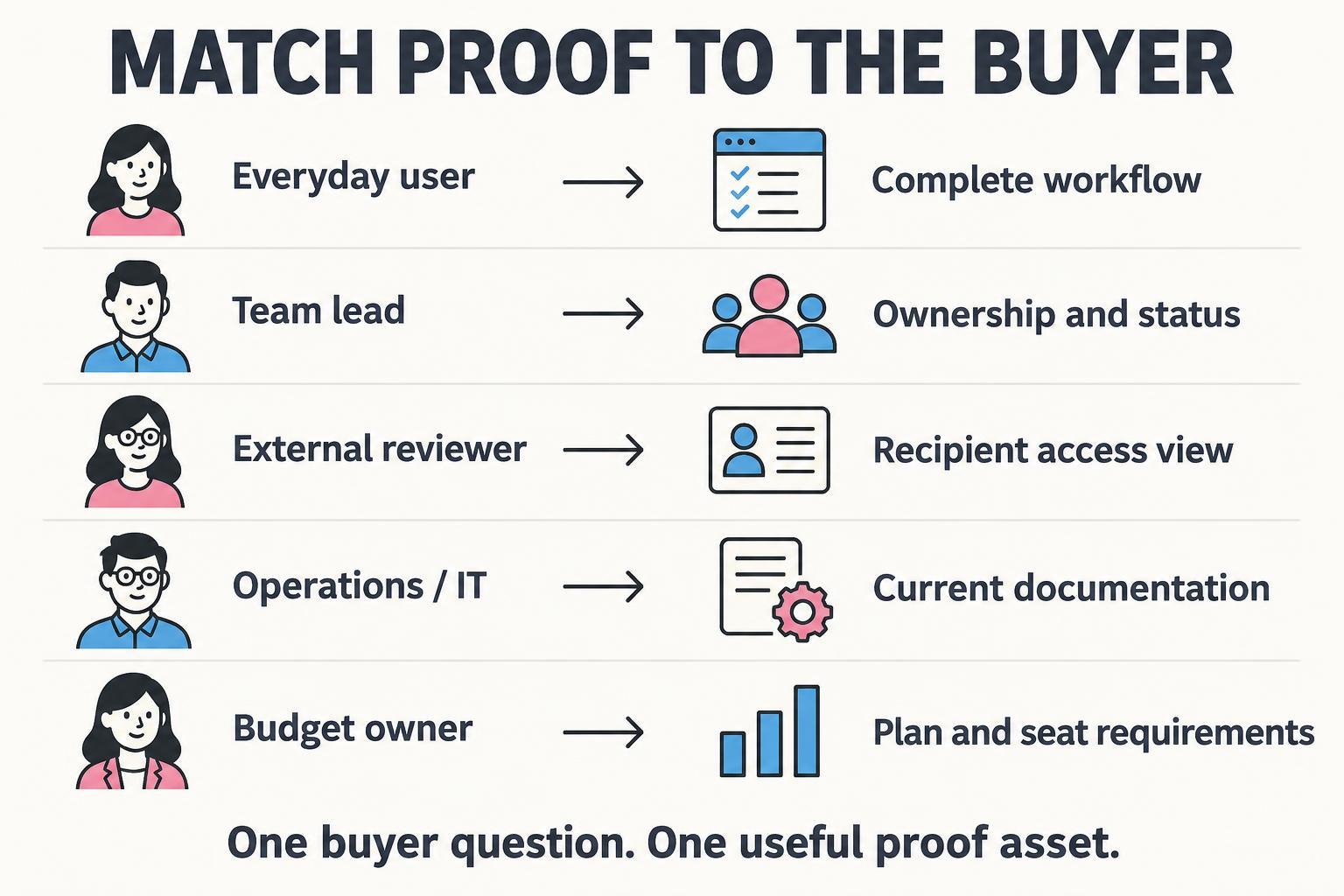
Even a small B2B software purchase can involve more than one concern. The day-to-day user wants less friction. A team lead wants visibility and adoption. An operations or security reviewer wants accurate access and data information. A budget owner wants to understand the total commitment. One enthusiastic testimonial does not answer all of them.
| Role | Question | Useful proof | Do not substitute |
|---|---|---|---|
| Designer / everyday user | Can I get feedback without chasing messages? | One complete submission and review workflow | A generic claim about productivity |
| Team lead | Can I see what is waiting and who owns it? | A real status view with defined ownership | An invented team-efficiency metric |
| External reviewer | Can I review without changing the original? | Recipient view and accurate access behavior | A presenter saying “totally secure” |
| Operations / IT | What does it connect to and what data does it process? | Current integration and privacy documentation | A short demo as a security certification |
| Budget owner | What will we buy and who needs a paid seat? | Current plan/seat requirements and scoped pilot | A vague “pays for itself” claim |
Build one content asset around one question. You can link the assets together, but making every video cover all five roles usually produces a vague overview. A buyer should be able to forward a clip with a sentence like “This answers how clients approve without editing the source.” That is a useful B2B distribution unit.
A Proof Ladder: Match the Claim to the Evidence
A recording can prove that a button opens a review panel in the demonstrated setup. It cannot prove that every customer shortens approval cycles. A customer statement can describe their experience; it does not automatically establish a typical result. Keep functionality, personal experience, and business outcome claims separate.
| Claim level | Example | Evidence to gather |
|---|---|---|
| Functionality | “A reviewer can comment beside the draft” | Current product recording and access conditions |
| Workflow benefit | “Comments stay attached to the draft” | Complete workflow and recipient view |
| Personal experience | “Our team found reviews easier to manage” | Actual customer statement and context |
| Measured outcome | “Approval time changed from X to Y” | Defined dates, metric, methodology, and relevant factors |
| Generalized promise | “Every team cuts approval time in half” | Broad substantiation; do not infer from one anecdote |
For US-facing content, the FTC endorsement guidance explains that endorsements must be honest and cannot make claims the advertiser could not legally make. A disclosed relationship does not make an unsupported outcome claim acceptable.
Use an evidence ledger per asset: exact claim, source, reviewer, limitations, and expiry or review date. If a plan feature, integration, or permission changes, you can identify which videos need correction. This small operational habit prevents the content library from gradually becoming inaccurate.
Five Original B2B SaaS UGC Briefs You Can Adapt
Brief 1: The Champion’s Forwardable Demo
Buyer: a team lead evaluating review friction. Visuals: submit, recipient view, status change. CTA: review a sample workflow or ask for a scoped demo. The asset should work without a clever opening that only makes sense in a social feed, because a buyer may forward it in an email or internal message.
Brief 2: The External Reviewer’s View
Buyer: the person worried about access friction. Visuals: open invitation in a separate sample account, comment, complete response, return to owner’s view. Do not hide login or claim no account is needed unless true for the demonstrated path. A polished admin recording cannot answer a recipient-experience question.
Brief 3: The One-Project Pilot
Buyer: an operations lead worried about migration and adoption. Visuals: the genuine setup path, one review cycle, and an honest list of what has not been tested. A pilot is an evaluation strategy, not proof of company-wide adoption. Do not imply compatibility with untested systems.
Brief 4: The Limitation Worth Knowing
Buyer: an evaluator comparing products in the category. Visuals: actual supported revision behavior. If the hypothetical scenario requires functionality your product does not have, choose a different limitation—do not create a UI mockup and pass it off as shipping software.
Brief 5: The Sales Handoff Explainer
Buyer: a prospect after an initial sales conversation. Visuals: three clear product moments, each linked to its job. The asset should reinforce accurate expectations, not add new exaggerated claims that sales then has to undo. Keep the offer consistent with what the team can actually demonstrate.
Production Standards for Software Buyers
- Use an approved synthetic workspace or permissioned customer material. Hide private files, tokens, names, and unrelated tabs.
- Record the entire path before scripting. Note the account, plan, setup, and access conditions.
- Capture the recipient and owner views separately when collaboration is the claim.
- Show enough output to inspect one meaningful detail; avoid interface flashes used only as decoration.
- Label illustrative data and mockups. Do not use polished fictional output as proof of real behavior.
- Approve the product claim and screen sequence before filming presenter lines.
- Use captions and make the asset understandable without relying only on audio.
- Check the export in its target placement and avoid text covering meaningful controls.
For LinkedIn or another professional feed, inspect the current placement specifications rather than assume the TikTok export is ideal. A square or vertical crop may suit one placement, while a widescreen asset may work better in sales email or a detailed landing page. Aspect ratio is a delivery choice; clarity is the common requirement.
Review LinkedIn’s current video ad specifications when planning paid placement, and use the SaaS demo video guide for deeper capture and editing choices.
Distribute by Buyer Question, Not Just by Platform
| Asset | Where it may fit | Context to add |
|---|---|---|
| Champion’s demo | Professional feed, landing page, outbound follow-up | Role and task being demonstrated |
| Recipient view | FAQ, sales follow-up, product evaluation page | Access conditions and account needs |
| Pilot walkthrough | Trial onboarding, implementation discussion | What is and is not included in the pilot |
| Limits explainer | Comparison content, documentation links | Current version and requirements |
| Handoff overview | Post-call email, internal champion sharing | The next agreed evaluation step |
Do not add every video to every page. Place a clip where it resolves a question the reader already has. A visitor checking reviewer access should find the recipient view beside an accurate explanation, not scroll through a generic showreel. Give sales a short description of whom each asset is for and when not to use it.
For creator-channel distribution, verify audience fit separately from the asset’s production quality. A creator can be an excellent software presenter without having your exact buying audience. Content-only work and audience promotion should therefore be scoped and evaluated differently.
The SaaS UGC pricing guide explains production, distribution, revisions, and licensing as separate budget decisions.
Watch: A Founder-Led B2B Software Demonstration
Gusto’s cofounder-led demonstration is a brand-produced B2B software example, not independent customer UGC or a campaign made by Tin Rovic. Watch for how the product action is explained to a buyer and which parts would help a champion discuss the tool internally. Its payroll claims belong to the publisher; this example is not proof of typical outcomes or a recommendation to promise equivalent results.
Gusto Cofounder Demo: Automate Payroll With Your AI Teammate
Loading this video connects to www.youtube-nocookie.com, which may collect your IP address and use cookies.
Source: Gusto on YouTube.
Build a Pilot Around One Buying Barrier
Choose a problem the team has actually observed. Perhaps prospects repeatedly ask whether external reviewers need accounts. Make the asset that answers that question, add it to the relevant follow-up, and measure whether the evaluation progresses. Do not begin with the vague objective “we need more UGC.”
| Decision | Example |
|---|---|
| Barrier | Prospects do not understand external reviewer access |
| Asset | Recipient-view walkthrough with accurate requirements |
| Audience | Relevant trial users or prospects with that question |
| Destination | Access FAQ plus a supported sample workflow |
| Primary signal | Completes a valid test review or progresses the agreed evaluation |
| Qualitative signal | Fewer unresolved access questions in follow-up |
| Guardrail | No misleading access or security claims |
| Review | Compare with prior relevant cohorts cautiously; note differences |
If running paid ads, keep audience, offer, landing page, and measurement window comparable when testing a creative difference. If sales uses the asset selectively, document selection bias: interested prospects may be more likely to receive it. A simple before-and-after chart is not enough to prove the video caused a revenue change.
Measure Influence Without Inventing Attribution
For B2B SaaS, the useful outcome may occur after several touchpoints. Track the event tied to the asset’s job: a completed review task, a qualified demo request, an evaluator opening documentation, or progress to a defined sales stage. Raw views and likes can help diagnose reach, but they do not establish pipeline.
- Define a qualified action in advance and record the denominator, not just a success count.
- Separate content production costs, rights, distribution fees, and paid media spend.
- Use tagged links where you control them, with appropriate consent and data-minimization practices.
- Ask sales which repeated questions remain unresolved after sharing the clip.
- Compare cohorts cautiously and document audience, seasonality, offer, and process changes.
- Keep “influenced,” “attributed,” and “caused” distinct in reporting.
- Report limited samples as limited samples rather than extrapolated ROI.
If the asset increases trial signups but not completed workflows, inspect product access and onboarding. If evaluations progress but deals still stall, the unresolved issue may be procurement, price, integration, or authority. More creator enthusiasm is not a substitute for addressing those constraints.
A Procurement-Aware Content Checklist
| Question | Content contribution | Companion evidence |
|---|---|---|
| Does it do our task? | Demonstrate a relevant workflow | Supported features and requirements |
| Who can access the result? | Show accurate roles and views | Permission documentation |
| What happens to our data? | Avoid misleading privacy promises | Current privacy and security resources |
| Will it fit our systems? | Show verified integrations or exports | Integration documentation |
| What will it cost? | Explain relevant plan boundaries accurately | Current commercial proposal |
| Can our team adopt it? | Show a scoped first-use path | Implementation and support information |
Assign one product owner and one commercial reviewer to approve the content when necessary. A creator can make the story clear, but the brand remains responsible for giving accurate access, plan, and product information. Keep a review date so the video does not outlive the claims it contains.
UGC for B2B SaaS: FAQ
Can creator-style video work for serious B2B products?
It can make a complex task easier to understand when the presenter is credible, the demonstration is accurate, and the distribution matches the buyer. Serious buyers do not require dull production; they require clear evidence. A short clip still cannot replace security, implementation, or commercial evaluation.
Do we need customer testimonials first?
No. A labeled creator demonstration can explain functionality before you have measured customer outcomes. Do not use it to imply a customer result you have not collected. Genuine testimonials can be added later with consent and substantiation.
Should the creator act as the founder?
Only if the role is presented honestly. A spokesperson can explain the product on behalf of the brand, but should not pretend to own it, work in the buyer’s company, or have a use history that is not true. The creator’s value is communication, not impersonation.
Should B2B UGC be short or long?
Match duration to the question. A recognizable workflow can be introduced briefly; permissions, setup, or detailed evaluation may need a longer walkthrough. Make separate assets when the buyer’s job changes instead of stretching one clip to serve every stage.
Can UGC guarantee pipeline?
No. Content can help a buyer understand and evaluate, but pipeline depends on audience fit, offer, product, distribution, and the wider sales process. Define an affordable pilot and report the actual evidence, including uncertainty.
Create Proof a Buyer Can Use
Choose one buying barrier and make an honest demonstration that resolves it. If you need a SaaS creator/spokesperson backed by a creative team, explore my content packages or book a call. We can scope the explanation, footage, and usage around the decision your buyer is trying to make—not just a number of videos.
Share
Article footer · AI discovery
Want to explore this topic further?
Ask questions about this article or use it as a starting point for deeper research.
Want content that makes your SaaS product click?
Email promotions@fuelyourdigital.com or explore my content packages.