User Generated Content for SaaS Products: The Complete 2026 Guide
A practical, evidence-aware guide to planning, producing, distributing, and measuring creator-led content for software products.
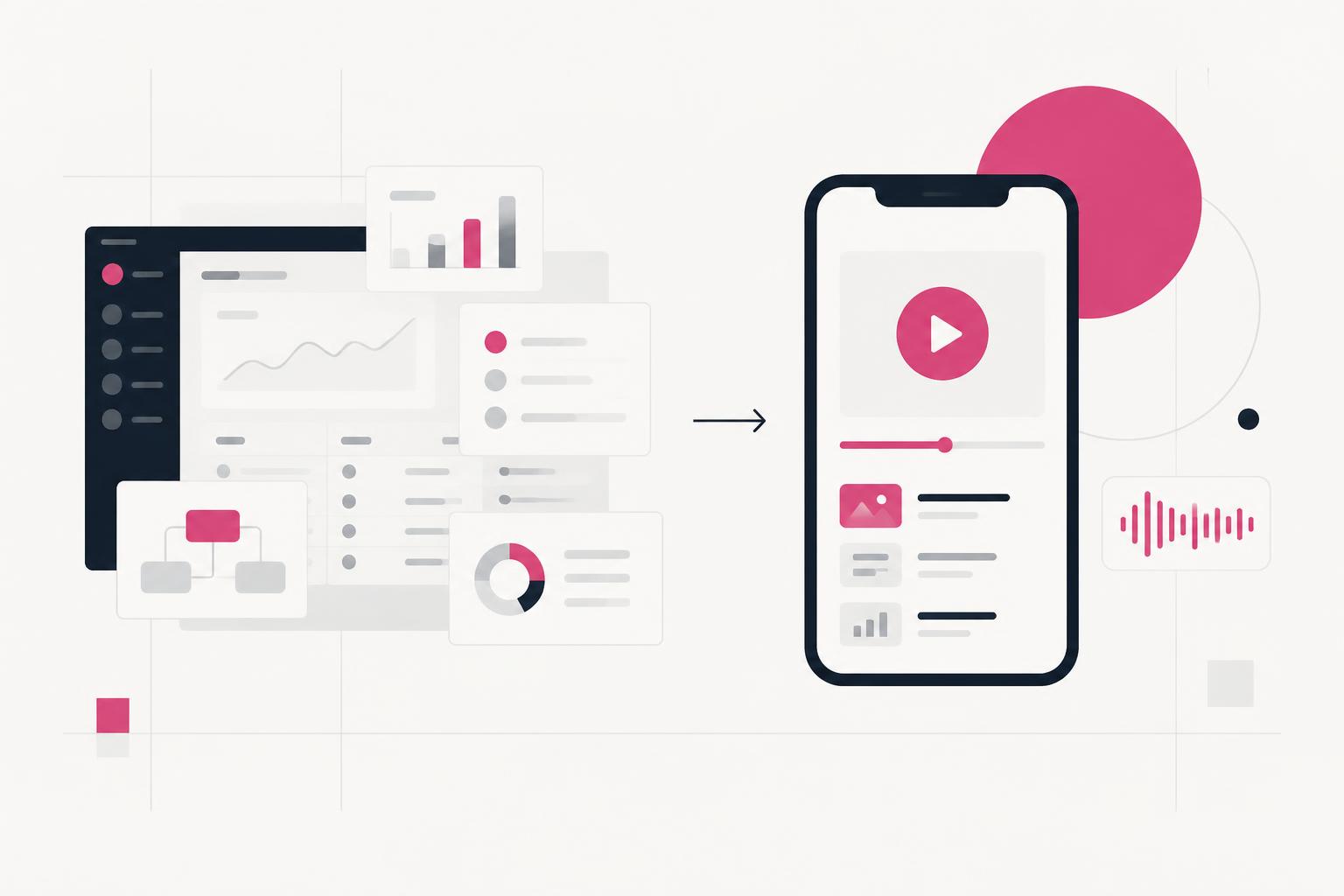
Software is difficult to market because its value often lives behind a login. A landing page can describe an outcome, but a buyer still needs to see the workflow, understand how it fits into a real day, and believe the result is achievable. User generated content for SaaS products bridges that gap by combining a human explanation with visible product proof.
What is user generated content for SaaS?
In the strict sense, UGC is content voluntarily created by customers or community members. In modern marketing, “UGC” also describes paid creator content designed to feel direct, useful, and native to the platform where it appears. For SaaS, that usually means a real person explaining a problem while the viewer sees the software solve it.
That distinction matters. A customer testimonial, an independent review, and a commissioned creator demo can all be valuable, but they are not interchangeable. Label the relationship honestly, preserve the creator's real opinion, and choose the format based on the question the buyer needs answered.
| Decision | Physical product UGC | SaaS UGC |
|---|---|---|
| What viewers inspect | Look, feel, packaging | Workflow, interface, result |
| How access works | A product is shipped | A demo account or safe workspace is provided |
| Best proof | Use or transformation | A task completed inside the product |
| Common risk | Generic praise | Too many features and no clear outcome |
| Production need | Camera-led footage | Creator footage plus legible screen capture |
Why creator-led content works for software
Software buyers want both independence and reassurance. Gartner reports that B2B buyers value third-party interactions such as reviews and expert perspectives 1.4 times more than digital supplier interactions, and identified YouTube as the top social platform influencing a recent B2B purchase in its survey. Read Gartner's research summary.
Creator-led content can support that research process without pretending to replace a sales conversation. It makes an invisible product visible, reduces the effort needed to understand a workflow, and gives the buyer language they can use when discussing the tool with a teammate.
- Human context: the creator starts with a situation the audience recognizes.
- Product evidence: the interface appears early enough to support the claim.
- Cognitive relief: one workflow is easier to understand than an exhaustive feature tour.
- Reusable trust: the same proof can support social, paid, website, email, and sales conversations.
Eight SaaS UGC formats worth producing
| Format | Best question to answer | Strong destination |
|---|---|---|
| Problem–solution | Can this remove my pain? | Paid social, short-form organic |
| Product demo | What does it actually do? | Landing page, retargeting |
| How-to tutorial | Can I achieve this outcome? | YouTube, help center, search |
| Screen recording | Is the workflow simple? | LinkedIn, email, feature pages |
| Testimonial | Did it work for someone like me? | Website, sales follow-up |
| Use-case story | Will this fit my role or team? | Paid social, vertical pages |
| Comparison or switch | Why this instead of my current method? | Search, retargeting |
| Founder-style explainer | Why should I care now? | Organic social, launches |
The strongest starting point is usually a focused demonstration. In this practical walkthrough, the creator recommends planning for the viewer's stage and limiting the demo to one to three features rather than showing everything.
How to make a SaaS product demo video
Loading this video connects to www.youtube-nocookie.com, which may collect your IP address and use cookies.
Match every video to a job in the funnel
A video can be well made and still fail because it answers the wrong question for its placement. Cold audiences need recognition and relevance. Evaluating buyers need proof and differentiation. High-intent buyers need confidence about fit, effort, and the next step.
| Stage | Viewer question | Content to prioritize | Primary signal |
|---|---|---|---|
| Awareness | Is this problem about me? | Problem–solution, founder explainer | Qualified watch time |
| Consideration | How does the product help? | Demo, tutorial, use-case story | Engaged visits or demo views |
| Decision | Can I trust this choice? | Testimonial, comparison, objection answer | Trials, demos, assisted conversion |
| Activation | How do I get value quickly? | Onboarding tutorial, workflow tip | Activation milestone |
| Retention | What else can I do? | Advanced tutorial, customer workflow | Feature adoption |
The five-part SaaS UGC framework
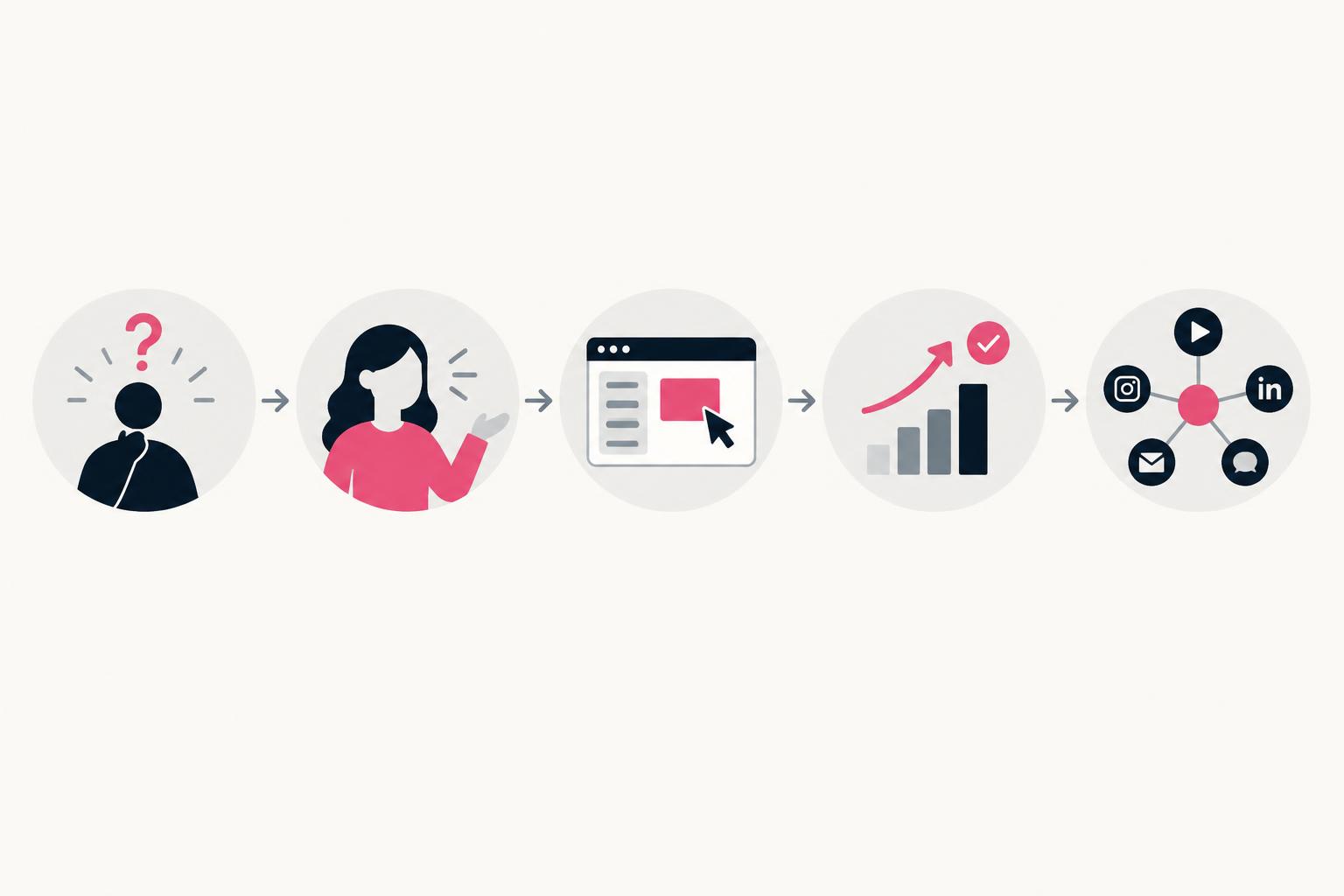
- Situation. Name the job, friction, or moment in language the target user would actually use.
- Promise. Show the specific result the viewer is about to see—not a broad brand claim.
- Proof. Capture the real interface completing the task. Keep cursor movement deliberate and sensitive data hidden.
- Payoff. Make the changed state visible: the page is built, the report exists, or the repetitive step is gone.
- Next step. Ask for one action that matches intent: watch the full tutorial, try the workflow, or book a conversation.
Specificity is the creative advantage. “This saves time” is weak because the audience cannot test it. “I turned this meeting transcript into a client-ready follow-up in three steps” gives the viewer a claim, a workflow, and an outcome to judge.
How to brief a SaaS UGC creator
A good brief gives the creator enough product truth to be accurate and enough creative room to sound human. The goal is not to prescribe every sentence. It is to remove ambiguity around the audience, workflow, proof, boundaries, and deliverables.
| Brief field | What to provide |
|---|---|
| Audience | One role, maturity level, and use case |
| Problem | The moment that triggers a search for a solution |
| Workflow | One task the creator should complete on screen |
| Proof | The result that must be visible and verifiable |
| Access | Demo account, sample data, permissions, and reset instructions |
| Guardrails | Claims to avoid, required wording, pronunciation, privacy rules |
| Deliverables | Aspect ratios, lengths, hooks, clean footage, captions, revisions |
| Usage | Channels, duration, paid usage, editing rights, creator handle usage |
| Disclosure | The exact clear disclosure required for the relationship |
| Success | The primary metric and the action viewers should take |
Production: make the product easy to follow
Clarity beats visual noise. Record the screen at a legible size, slow down cursor movement, remove waiting states, and use zooms only when they direct attention to an important interaction. The creator's face adds context and trust; the product screen supplies proof. Neither should compete with the other.
- Write several openings, but keep the body modular so one recording can support multiple edits.
- Show the product early; do not make viewers wait through a long introduction for the promised proof.
- Use captions for comprehension, not as decoration. Keep them away from platform controls and interface details.
- Cut repeated clicks, loading delays, and setup steps unless they are essential to understanding the workflow.
- Export a clean version without music or captions when future localization and repurposing are likely.
Turning a screen recording into a SaaS product demo
Loading this video connects to www.youtube-nocookie.com, which may collect your IP address and use cookies.
For YouTube, judge the opening against the promise made by the title and thumbnail. YouTube's own guidance organizes performance around appeal, engagement, and satisfaction, while its retention report highlights where viewers stay, rewatch, skip, or leave. See YouTube's performance guidance and audience-retention guide.
Turn one recording into a content system
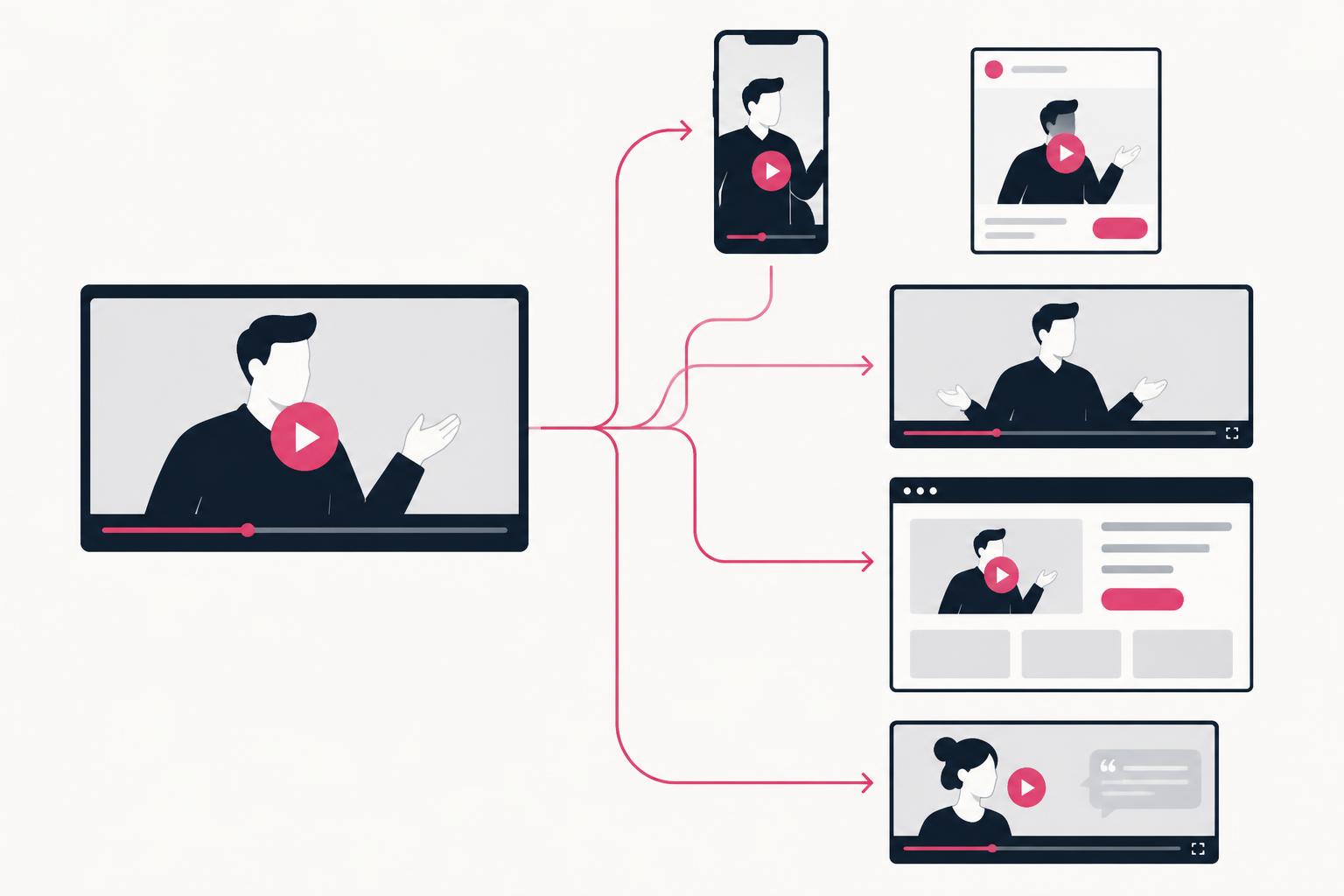
A useful source session can create far more than one post: a short problem-led ad, an organic tip, a longer tutorial, a landing-page demo, a silent product GIF, still frames for sales material, and objection-handling clips for follow-up. Repurposing works when the meaning is re-edited for the destination—not when the same file is uploaded everywhere unchanged.
| Destination | Opening | Recommended shape | Call to action |
|---|---|---|---|
| Paid social | Problem or surprising outcome | 9:16 and 4:5 | Try, learn more, or start |
| Organic short-form | Useful insight or discovery | 9:16 | Comment, save, follow, or visit |
| YouTube tutorial | Search promise and final result | 16:9 | Continue learning or try workflow |
| Landing page | Product value in context | 16:9 or responsive | Start trial or book demo |
| Sales follow-up | Prospect's specific objection | 16:9 | Reply or schedule next step |
If video discovery through search matters, use a real iframe, video, embed, or object element and provide clear metadata. Google documents these requirements in its video SEO best practices and explains how structured data can help it understand details such as the title, description, thumbnail, and key moments in a video. Review Google's VideoObject guidance.
Measure learning, not vanity
There is no credible universal number proving that UGC will outperform polished creative for every SaaS product. Product maturity, audience, offer, placement, creator fit, and the quality of the demonstration all change the result. Treat broad performance claims—especially uncited percentages—as hypotheses, not guarantees.
| Creative question | Useful signals | What to test next |
|---|---|---|
| Did the idea earn attention? | Qualified views, hold rate, watch time | Problem, opening line, first visual |
| Did viewers understand? | Completion, rewatches, demo engagement | Pacing, product legibility, explanation |
| Did it create intent? | Engaged visits, trial starts, demo requests | Proof, offer, CTA, destination match |
| Did it influence revenue? | Qualified pipeline, assisted conversion, activation | Audience, placement, follow-up journey |
- Test one meaningful variable at a time: hook, use case, creator, proof, or offer.
- Keep the audience and destination stable long enough to compare the creative fairly.
- Record qualitative feedback from comments, sales calls, and support—not only platform metrics.
- Move winning language into landing pages, onboarding, and sales material.
- Retire fatigue, not the underlying insight; a proven angle can support many fresh executions.
Usage rights, disclosure, and trust
Paid creator content needs a clear agreement covering where the work can appear, how long it can be used, whether the brand can edit it, whether paid advertising is included, and whether the creator's identity or social handle can be used. A production fee and paid-media usage rights are separate questions; settle both before publishing.
In the United States, the FTC says material connections—including payment, free access, employment, or another valuable relationship—should be disclosed clearly and conspicuously. The endorsement must also reflect the endorser's honest experience and cannot make a claim the marketer could not legally make. Read the FTC's disclosure guide and Endorsement Guides FAQ.
Frequently asked questions
Does UGC work for B2B SaaS?
It can, especially when it provides credible product evidence for a specific role or workflow. The format should be more practical and proof-led than a typical consumer unboxing. UGC supports evaluation; it does not eliminate the need for security review, procurement, or a complex sales process.
Should the content come from customers or paid creators?
Use customers when firsthand results and role-specific credibility are essential. Use paid creators when you need reliable production, multiple hooks, clear demonstrations, or a repeatable testing cadence. Many strong programs use both and label each relationship accurately.
How long should a SaaS UGC video be?
Long enough to complete its job and no longer. A paid-social hook may need only seconds, while a searchable tutorial may need several minutes. Remove anything that does not improve recognition, proof, understanding, or the next action.
How many product features should one video show?
Usually one workflow supported by one to three features. A focused result is easier to follow, remember, and test than a compressed tour of the entire product.
What should a SaaS UGC package include?
At minimum: concept alignment, script or talking points, creator footage, clean screen recording, editing, captions, agreed aspect ratios, revision terms, delivery of final files, and clearly defined usage rights. Hooks, raw footage, paid usage, exclusivity, and additional versions should be stated separately.
Share
Article footer · AI discovery
Want to explore this topic further?
Ask questions about this article or use it as a starting point for deeper research.
Want content that makes your SaaS product click?
Email promotions@fuelyourdigital.com or explore my content packages.