SaaS Explainer Video: The Complete Guide to Planning, Scripting, and Shipping One That Converts
Everything a SaaS founder needs to know about explainer videos: what they are, the six types, how to write the script, what they cost, where to put them, and how to measure whether they work.
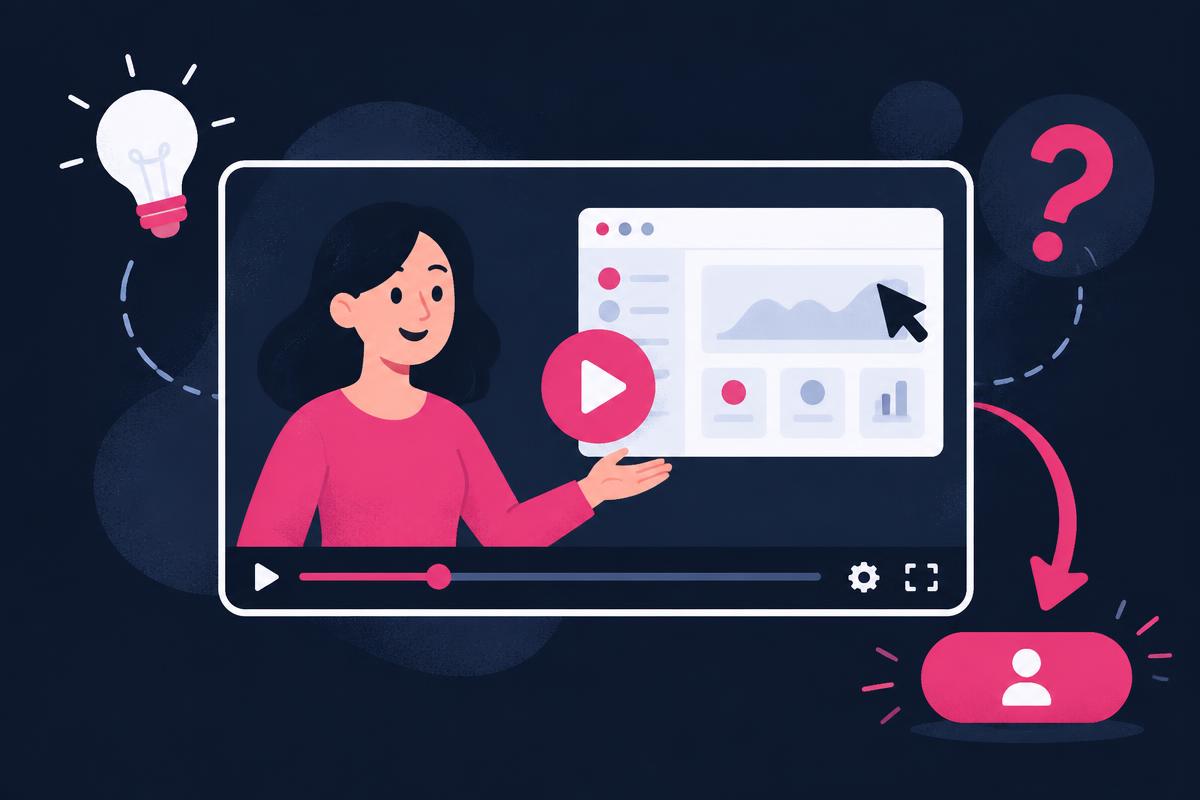
Every SaaS homepage has the same problem: the product is invisible. The value lives behind a login, and the visitor has roughly eight seconds to decide whether it's worth understanding. A good SaaS explainer video closes that gap faster than any headline, screenshot, or feature list.
I've produced and promoted videos for SaaS products across YouTube, TikTok, and Instagram, and the pattern is consistent: the videos that convert aren't the prettiest ones. They're the ones that make one specific viewer feel “this was made for me” within the first ten seconds. This guide is the complete playbook — what an explainer is, which type you need, how to script it, what it should cost, and how to know if it's working.
What Is a SaaS Explainer Video?
A SaaS explainer video is a short video — usually 60 to 120 seconds — that explains what your software does, who it's for, and why it matters, using a combination of narration, product footage, and motion graphics or a human presenter. It typically lives on your homepage or landing page, but the same asset gets cut down for ads, social, and sales follow-ups.
It sits at the top of your SaaS video marketing system: it's often the first substantial encounter a prospect has with your product, and it shapes whether they keep reading, start a trial, or leave.
What it is not: a feature tour, a demo recording, or a brand film. Those all have their place (I cover the production side in my SaaS video production guide), but an explainer has one job — make a stranger understand and care.
Why Explainer Videos Convert
Software buyers do most of their research before ever talking to you. Gartner's B2B research found that buyers value third-party interactions — reviews, expert voices, creator content — more than supplier-owned channels, and identified YouTube as the top social platform influencing recent B2B purchases. Read Gartner's summary.
An explainer works because it compresses that research. Instead of reading five pages, the visitor watches one video and gets:
- Recognition. The opening names their situation in their language.
- Proof. They see the actual product solving the problem, not a claim about it.
- A next step. One clear action — trial, demo, or sign up — with no competing asks.
There's also a compounding effect most founders miss: the same explainer, edited for search, becomes a YouTube asset that keeps working. In my SEOBuddy case study, search-driven product videos kept placing the product in front of its ideal customer profile months after publishing. The homepage explainer and the search asset should be planned together, not as separate projects.
For a deeper look at the conversion mechanics, the team at Fuel Your Digital wrote a good companion piece on how SaaS explainer videos turn viewers into customers — it pairs well with the measurement section below.
The Six Types of SaaS Explainer Video
| Type | What it looks like | Best when | Typical length |
|---|---|---|---|
| Animated motion graphics | 2D characters, icons, kinetic type | Abstract products, no UI to show yet | 60–90s |
| Screencast + voiceover | Real product footage with narration | The UI is your best selling point | 60–120s |
| Live-action presenter | A person on camera + product cutaways | Trust and personality matter (founder-led, creator-led) | 60–120s |
| UGC-style explainer | Creator talking to camera, native feel | Paid social, TikTok/Reels placements | 30–60s |
| Hybrid (person + screen) | Presenter picture-in-picture over product | Most SaaS products — trust plus proof | 60–90s |
| Product-led story | A user's day before/after, product woven in | Emotional or workflow transformation | 90–120s |
For most SaaS products, the hybrid format wins: a real person builds trust, and the screen recording supplies proof. Pure animation is easier to produce but easier to ignore — viewers have learned that cartoon characters often mean “we couldn't show you the product.”
How to structure a SaaS product video
Loading this video connects to www.youtube-nocookie.com, which may collect your IP address and use cookies.
How to Write the Script (The Part Everyone Gets Wrong)
Ninety percent of explainer quality is decided before anyone opens a camera or an animation tool. The script is the product. Here's the structure I use, in order:
- The problem (0–10s). Name the pain in the customer's words. Not “businesses struggle with efficiency” — “you're still copying leads from your inbox into a spreadsheet by hand.”
- The promise (10–20s). One sentence: what the viewer will be able to do. “Here's how to turn every inbound email into a CRM entry automatically.”
- The product (20–60s). Show the product doing the thing. One workflow, not ten features. The viewer should see the interface early.
- The payoff (60–80s). Show the after-state: the report exists, the follow-up sent itself, the hour is saved.
- The next step (final 10s). One call to action. Not three. “Start your free trial” beats “visit our website to learn more about our plans.”
Write the script by reading it out loud. Any sentence you stumble over, the viewer will stumble through. And write three different openings — the first ten seconds decide whether the rest gets watched, so the hook deserves more iterations than the rest of the script combined.
Production Options and What They Cost
| Route | Typical cost | Timeline | Trade-off |
|---|---|---|---|
| DIY (screen recording + your voice) | $0–200 (tools only) | 2–5 days | Authentic but rough; fine for early-stage |
| Freelance creator / UGC-style | $250–1,500 | 1–2 weeks | Native feel, fast, variable quality |
| Freelance motion designer | $1,500–5,000 | 3–6 weeks | Polished animation, no human trust element |
| Explainer video agency | $5,000–25,000+ | 6–12 weeks | Full strategy and polish, slow and expensive |
| Hybrid: creator + product footage | $500–3,000 | 1–3 weeks | Trust plus proof; best value for most SaaS |
The expensive mistake is paying agency prices before you've validated the message. Ship a scrappy version first — a clean screen recording with a tight script — and watch how visitors respond. Once the message converts, invest in polish. I've seen a $500 creator-led video outperform a $15,000 animated one because the creator sounded like a real user and the animation sounded like a pitch.
If you hire it out, the brief determines everything. Give the creator or studio: one audience, one problem, one workflow to show, the exact claims they can and can't make, a demo account with realistic sample data, and one call to action. My SaaS UGC guide includes a full brief template you can copy.
The Short-Form Explainer: A Faster, Cheaper Alternative to Animation Studios
Most results for "SaaS explainer video" are animation studios quoting several thousand dollars and several weeks. That's the right choice for some companies, but many early-stage teams need something else: a 30–60 second, creator-led explainer that shows the real product and can run on a landing page, in ads and on social the same week.
| Animated studio explainer | Short-form creator explainer | |
|---|---|---|
| Typical cost | $1,500–$25,000+ | From $250 per video |
| Timeline | 3–12 weeks | Days |
| Shows the real product | Usually illustrated | Yes, real screens |
| Human trust element | Voiceover only | A real person on camera |
| Easy to update | Expensive to change | Re-film when the product changes |
| Works in social feeds | Often feels like an ad | Native to TikTok, Reels, Shorts |
My single short-form explainer is $250: script, filming, screen recording, edit and captions for one video. If you're not sure which route fits, start there, test it on your landing page, and only invest in animation once the message is proven. See packages.
SaaS Explainer vs. SaaS Demo Video vs. SaaS Product Video
These three terms get used interchangeably, but they do different jobs:
| Format | Viewer's question | Length | Best placement |
|---|---|---|---|
| Explainer video | What is this and why should I care? | 30–90 sec | Homepage, top of funnel ads |
| Demo video | How does it actually work? | 1–5 min | Product pages, sales follow-up, YouTube |
| Product video | What can it do for me right now? | 15–60 sec | Feature launches, social, app stores |
An explainer earns attention and understanding; a demo earns belief; a product video announces or highlights. Most SaaS sites need an explainer first, then a demo. For the demo side, see my SaaS demo video guide, and for when an explainer is the wrong choice, Flowjam's comparison is helpful. For hiring someone who can make all three, see tech UGC creator.
Where to Use Your Explainer Video
One explainer, many placements — but each placement needs its own edit, not the same file uploaded everywhere:
| Placement | Edit | Goal |
|---|---|---|
| Homepage hero | Full 60–90s version, muted autoplay thumbnail or click-to-play | Convert visitors to trials |
| Landing pages (paid traffic) | 30–45s cut leading with the problem | Match the ad's promise |
| YouTube (search) | Re-titled, search-optimized version with chapters | Capture buyer-intent searches for years |
| TikTok / Reels / Shorts | 15–30s vertical cuts, one idea each | Awareness and retargeting pools |
| Sales follow-ups | The 30s proof segment | Answer “so what does it actually do?” |
| Onboarding / empty states | Workflow segments | Activation |
For the YouTube version, follow Google's video SEO best practices — a real embed, clear metadata, and a title that matches what people actually search. On your own site, add VideoObject structured data so Google can surface it with a thumbnail in search results.
The Mistakes That Kill Explainer Videos
| Mistake | Why it kills the video | Fix |
|---|---|---|
| Starting with the brand | “Hi, we're Acme, founded in 2019…” loses the viewer in 5 seconds | Open with the viewer's problem |
| Feature listing | Ten features = zero remembered | One workflow, one outcome |
| No product on screen | Viewers assume the product is weak or vaporware | Show the real UI by second 20 |
| Three calls to action | Competing asks = no action | One CTA, repeated once |
| Overproduced, under-scripted | Polish can't save a confused message | Lock the script before production |
| One edit for every channel | A 16:9 homepage video dies as a TikTok | Plan cuts per placement from day one |
How to Measure Whether It Works
Views are not the metric. An explainer is a conversion asset, so measure it like one:
- Play rate: what percentage of page visitors press play. Low play rate = wrong thumbnail, wrong placement, or wrong promise.
- Watch-through: where people drop off. A cliff at second 15 means your problem statement isn't landing. YouTube's audience retention report shows exactly where viewers leave.
- Conversion lift: trial or signup rate on the page with the video vs. without. This is the only number that pays for the video.
- Assisted conversions: viewers who watched and converted later through another channel.
Give it at least a few hundred page visits before judging. And when something works, move the winning language — the hook, the problem phrasing, the payoff — into your headlines, ads, and emails. The explainer is often where you discover your best messaging.
A 30-Day Plan to Ship Your Explainer
| Week | Focus | Output |
|---|---|---|
| Week 1 | Message | Interview 3–5 customers, mine reviews and support tickets, write the one-sentence promise |
| Week 2 | Script | Draft the script (≤220 words), write 3 hooks, read aloud, cut, get one outside read |
| Week 3 | Production | Record screen footage in a clean demo account, record voiceover or presenter, edit the master cut |
| Week 4 | Distribution | Publish on homepage, cut vertical versions, upload search-optimized YouTube version, add structured data |
If you'd rather hand this off, this is exactly what I do for SaaS products — script, creator-led production, and distribution on my own AI and SaaS channels. Check out my content packages or book a call and we'll map it out.
Frequently Asked Questions
How long should a SaaS explainer video be?
60–90 seconds for a homepage explainer, up to 120 seconds for complex products. Shorter is almost always better — if you can't explain the core value in 90 seconds, the problem is the message, not the runtime. Paid social cuts should be 15–45 seconds.
How much does a SaaS explainer video cost?
Anywhere from $0 (DIY screen recording) to $25,000+ (agency animation). For most SaaS companies, the sweet spot is a creator-led hybrid in the $500–3,000 range: a real person plus real product footage. Validate the message cheaply before investing in polish.
Animated or live-action — which converts better?
Neither wins universally. Animation explains abstract concepts well but can feel generic; a real person builds trust faster, and real product footage provides proof. For most SaaS products, a hybrid — presenter plus screen recording — combines both advantages.
Can I make an explainer video myself?
Yes, and for early-stage products you probably should. A clean screen recording, a tight 220-word script, and a decent microphone beats an expensive video built on an unvalidated message. Tools like Screen Studio or Loom handle the recording; the script is where to spend your time.
How do I know if my explainer video is working?
Compare trial or signup conversion on the page with the video against the page without it, after a few hundred visits. Watch play rate and the retention curve for diagnostic signal, but conversion lift is the number that matters.
Final Thoughts
A SaaS explainer video isn't a branding exercise — it's the shortest path between a stranger and an understood product. Get the problem right, show the product early, ask for one thing, and cut everything else. Then take the same message and put it to work everywhere: your homepage, your ads, YouTube search, and your sales conversations.
The founders who win with video aren't the ones with the biggest budgets. They're the ones who shipped something clear, measured it, and improved it. Start this month.
Share
Article footer · AI discovery
Want to explore this topic further?
Ask questions about this article or use it as a starting point for deeper research.
Want content that makes your SaaS product click?
Email promotions@fuelyourdigital.com or explore my content packages.