How to Repurpose a Webinar Into YouTube Videos People Actually Find (SaaS Guide)
Turn one SaaS webinar into 3–5 search-led YouTube videos and 5–10 Shorts: find the search behind each section, re-record the first 30 seconds, add chapters, and follow a worked example with real timestamps.
Every ‘repurpose your webinar’ guide gives you the same list: make clips, make a podcast, make a blog post, make a carousel. Almost none of them answer the question that actually matters for a SaaS: how do you turn a webinar into YouTube videos that people find through search, months after the live event ended?
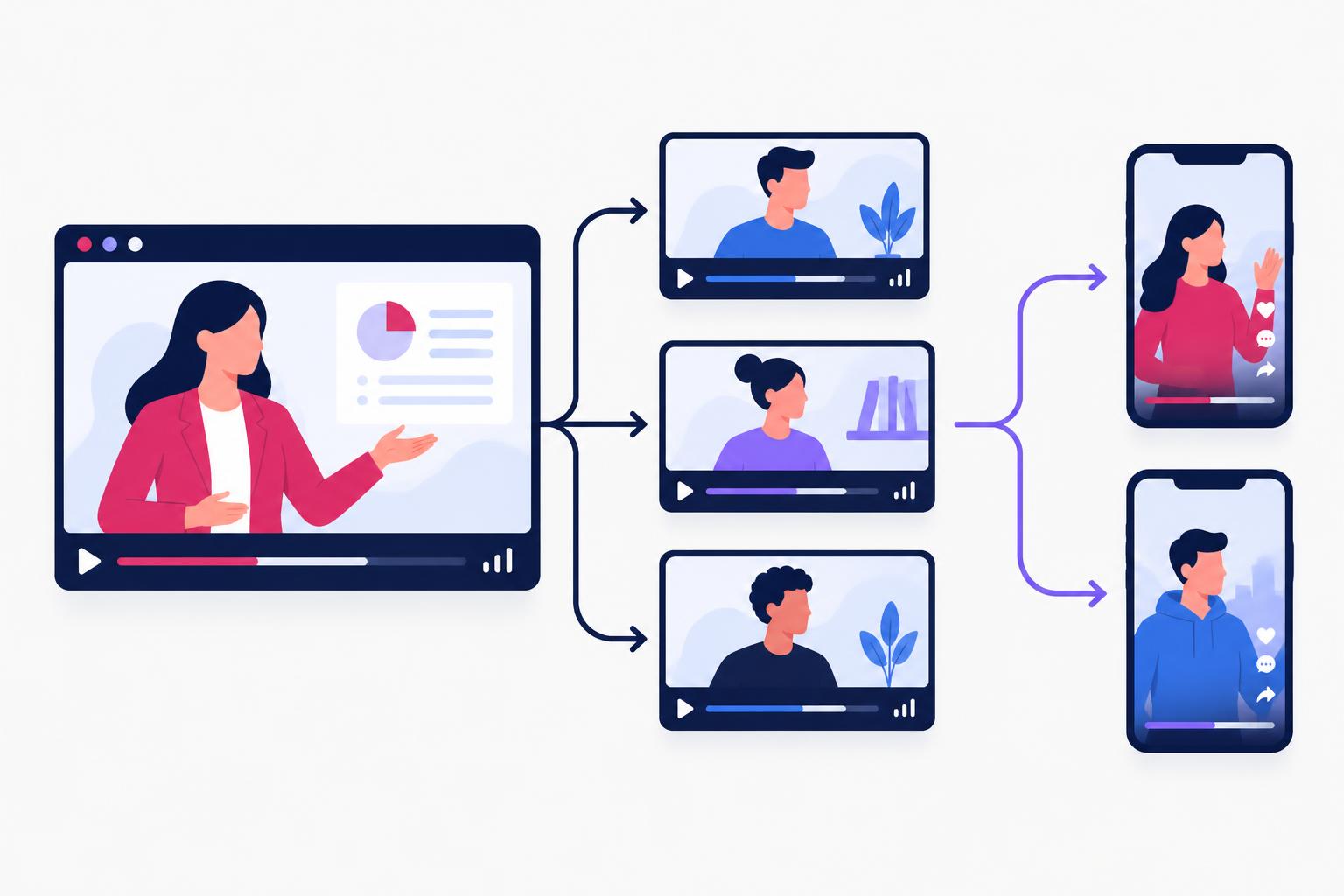
That is a different job. A webinar recording uploaded as-is is a 45-minute video with a dead opening, no search target and no reason for YouTube to recommend it. This guide shows the method I use instead: one webinar becomes three to five long videos, each built around a real search, plus five to ten Shorts—with a worked example, real timestamps, and the re-recording step everyone skips.
Why Uploading the Recording As-Is Fails
A live webinar is optimised for people who already registered. It opens with housekeeping (‘we'll wait two more minutes for everyone to join’), a speaker introduction, and an agenda slide. A YouTube viewer arriving from search gives you about 15 seconds to confirm the video answers their question. The two formats are structurally incompatible, which is why most webinar replays on YouTube sit at double-digit views forever.
The fix is not better editing of the replay. It is treating the webinar as a pile of raw answers and rebuilding each answer as its own search-targeted video.
The Method: One Webinar, 3–5 Search-Led Videos
- 1
Transcribe and map sections
Pull a transcript and mark every self-contained section where you answered one question or demonstrated one workflow.
- 2
Find the search behind each section
For each section, identify the query someone would type before needing that answer. If no plausible search exists, the section becomes a Short, not a long video.
- 3
Re-record a new intro per video
Film a 15–30 second opening that names the search question and promises the answer. This is the step that makes it a YouTube video instead of a webinar excerpt.
- 4
Edit the body, add chapters
Cut the webinar segment tight, remove live-event references, add chapters so YouTube can surface key moments in search.
- 5
Cut 5–10 Shorts
Pull the single best moments—one insight, one demo step, one surprising answer—as vertical clips that point back to the long videos.
Step 1: Find the Search Behind Each Section
Read your transcript section by section and ask: what would someone type into Google or YouTube the day before they needed this answer? A webinar segment titled ‘Q3 roadmap and pricing update’ contains no search. A segment where you showed ‘how to connect the API to a spreadsheet in five minutes’ contains a real one.
Validate the query before committing: type it into YouTube and Google and look at what ranks. If the results are old, thin, forum threads or generic listicles, you have an opening—the same logic behind the keyword choices in our YouTube SEO for SaaS guide. If the results are strong, recent videos from big channels, pick a narrower variant of the question.
| Webinar section | Weak title (replay thinking) | Search-led title (YouTube thinking) |
|---|---|---|
| Feature walkthrough | Product Update Webinar — Q3 Replay | How to [do the specific task] in [product category] |
| Customer Q&A answer | Webinar Q&A Highlights | The exact question, phrased as the viewer would type it |
| Live demo segment | Live Demo: New Dashboard | [Tool category] tutorial: build [the thing] in X minutes |
| Founder's strategy talk | Our Founder's Keynote | How we [achieved specific outcome] — full breakdown |
Step 2: Re-Record the First 30 Seconds
This is the highest-leverage step and the one every repurposing guide skips. Webinar openings lose YouTube viewers immediately because they were never meant for them. Film a new intro—webcam quality is fine—for each video:
- Name the question in the first sentence: ‘If you're trying to connect your API to a spreadsheet without writing code, this is the five-minute version.’
- Promise the proof: ‘I'll do it live, and you can copy every step.’
- Credibility in one line: ‘We use this exact setup with our own customers.’
- Then cut straight into the webinar footage where the answer begins.
Thirty seconds of new footage converts a webinar excerpt into a video that stands on its own in search. It also gives you a clean thumbnail moment—your face, the question, no agenda slide.
Step 3: Edit the Body and Add Chapters
- Cut every live-event reference. ‘As Sarah just asked in the chat’, ‘next slide please’, the Q&A handoffs—anything that signals ‘this was live and you missed it’ dates the video and breaks immersion.
- Tighten ruthlessly. A 12-minute webinar segment usually contains a strong 7-minute video. Remove repeated explanations and dead air; keep the demonstration steps intact.
- Add chapters with search-aware labels. Chapter titles appear in Google search results as key moments. ‘Connect the API (2:14)’ is a chapter that can rank; ‘Part 2’ is not.
- Fix the audio before anything visual. Webinar audio is often the weakest element. Clean it up; viewers forgive webcam video but not muffled sound.
Worked Example: One 45-Minute Webinar, Four Videos and Seven Shorts
A fictional but realistic example: a project-management SaaS runs a 45-minute customer webinar called ‘Spring Release: Automations, Reports and Your Questions.’ Here is the map from timestamps to published videos:
| Webinar timestamp | Content | Becomes | Target search |
|---|---|---|---|
| 04:10–12:30 | Automation builder walkthrough | 12-min long video (new intro, tightened to ~9 min) | how to automate task handoffs in [category] |
| 15:00–21:40 | Report builder demo | 8-min long video | how to build a status report in [category] |
| 24:20–28:10 | Founder on why they killed a feature | 5-min long video | when to sunset a feature (SaaS) |
| 33:00–38:45 | Q&A: pricing and plan limits | Sales-page FAQ clip, unlisted or help-center embed | — (not a search play; a sales asset) |
| 06:30, 17:15, 19:50, 25:10, 26:40, 35:20, 37:05 | Best single moments | 7 Shorts, each pointing to its source video | Discovery feed, not search |
Notice what did not become a video: the housekeeping, the roadmap teaser and the pricing Q&A. Not every section deserves search treatment—some answers serve existing customers and belong on a help page or in sales follow-ups. The discipline of choosing three to five sections, rather than chopping all twelve, is what keeps each video strong.
Step 4: Cut the Shorts
Each Short is one moment, not a summary: the single automation step that gets a reaction, the founder's one-sentence answer, the before/after of the report. Vertical crop, burned-in captions, and a spoken or text pointer to the full video. The YouTube Shorts for SaaS guide covers hooks, length and how Shorts feed long-video discovery in detail.
Titles, Descriptions and the Search Layer
Publish each long video as if the webinar never happened: a search-led title, a description that restates the question and the steps, chapters, and a thumbnail built around the question—not the event branding. Link the videos to each other in descriptions and end screens, and embed each one in the matching page on your site (the feature page, the help article, the blog post). If you are building this muscle from scratch, start with the 30 YouTube video ideas for SaaS and the guide to starting a SaaS YouTube channel.
Webinar repurposing readiness
7 items still to confirm.
Repurposing Webinars for YouTube: FAQ
Should I still upload the full replay?
Only if registered attendees ask for it—and then upload it unlisted and share the link directly. A public 45-minute replay with weak retention signals can drag down the channel's standing with the recommendation system, and it competes with your own search-led cuts.
Does this work for old webinars?
Yes—often better, because you already know which sections got the most engagement and questions. Check that the product screens shown are still current; if the interface has changed, re-record the demo portion and keep the strategy sections.
How often should a SaaS run webinars to feed this system?
One solid webinar per quarter is enough to keep a YouTube channel publishing weekly when each one yields three to five long videos and a batch of Shorts. Consistency of publishing matters more than event frequency.
What if the webinar only had 30 attendees?
Irrelevant. The webinar's job was to produce the raw material; YouTube search supplies the audience. Some of my best-performing client videos started as answers given to a handful of live viewers.
Share
Article footer · AI discovery
Want to explore this topic further?
Ask questions about this article or use it as a starting point for deeper research.
Want content that makes your SaaS product click?
Email promotions@fuelyourdigital.com or explore my content packages.