How to Structure a UGC Ad for SaaS: Second-by-Second Editing With Real Proof
A human-creator editing guide for SaaS ads: six beats, 15/30/45-second pacing, screen readability and the evidence limits of the real flAim AI campaign.
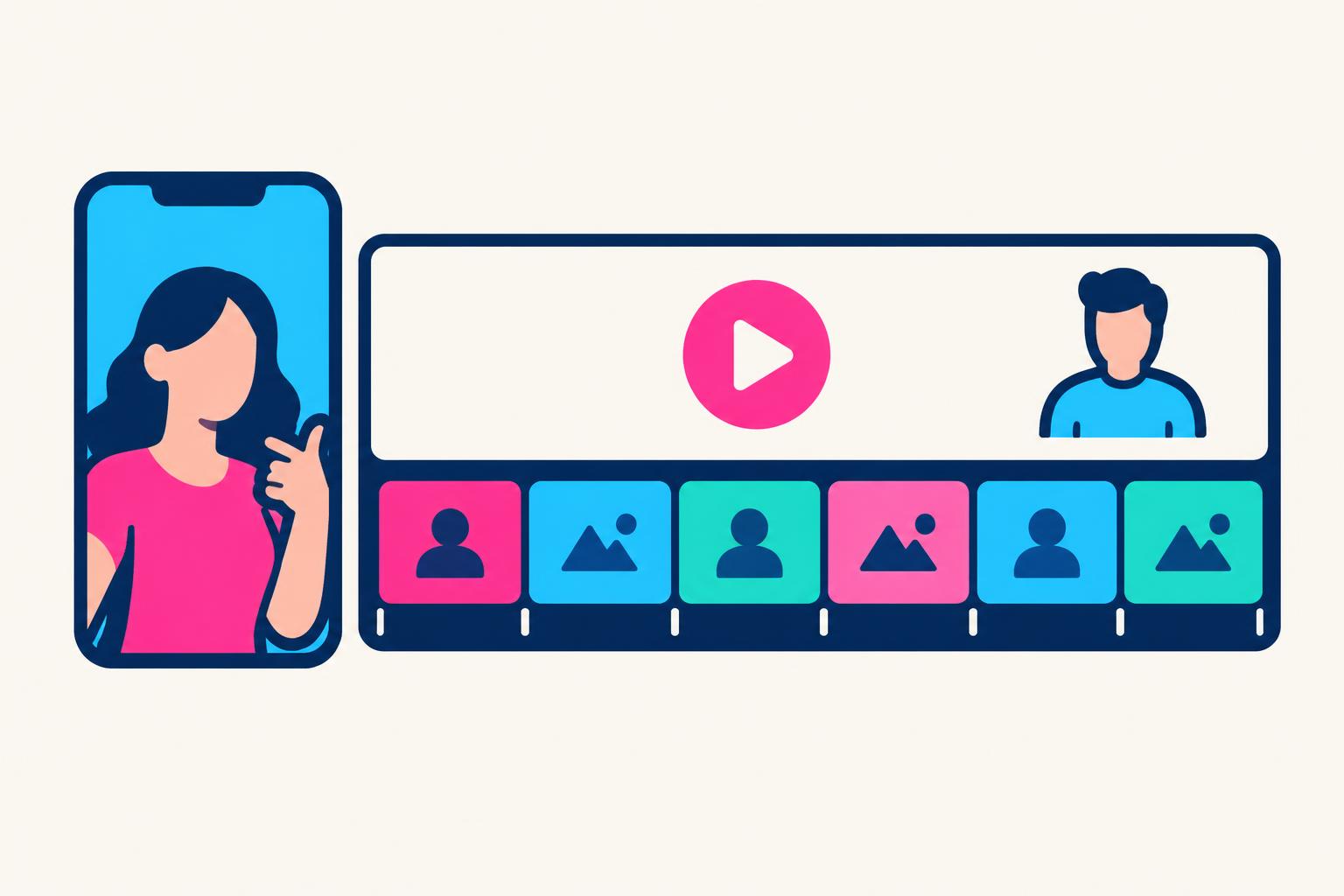
To structure a UGC ad for SaaS, give each second a job: identify the user’s task, make the problem recognisable, introduce the mechanism, show a result, qualify the promise and ask for one next action. The human creator supplies context and judgement. The screen supplies evidence. Neither needs to stay on camera for the entire edit.
This guide is about sequencing and editing real human-led footage, not generating an AI spokesperson or providing another library of scripts. The timings are suggested starting points for tests, not proven winning durations. A shorter ad is only better if the buyer still understands what the product does and can read the result.
If you need fill-in wording and complete concepts, use the companion UGC script template for SaaS ads.
The Six Beats of a 30-Second SaaS UGC Ad
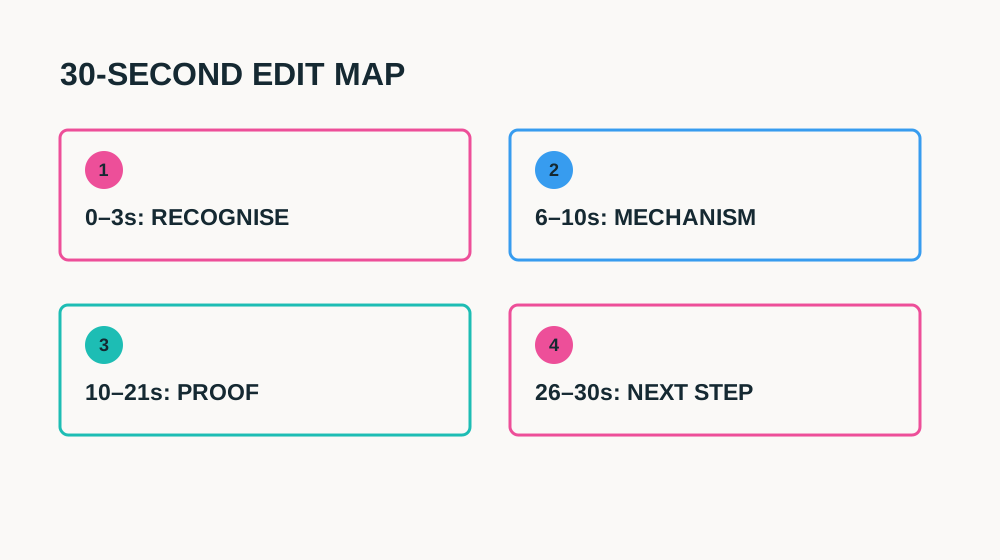
| Time | Beat | What to see | What to remove |
|---|---|---|---|
| 0–3s | Recognition | Creator names one user/task; problem visual appears | Greetings, logo sting, “you need this” |
| 3–6s | Consequence | One tangible cost of the workaround | Unsupported savings or anxiety |
| 6–10s | Mechanism | Product name and relevant screen entry point | Feature-list recital |
| 10–21s | Evidence | Input → meaningful action → readable result | Unrelated B-roll and decorative clicks |
| 21–26s | Boundary | Human review, eligibility or setup that matters | Fine print that contradicts the promise |
| 26–30s | Next step | One CTA matching the page and offer | Two competing actions or vague homepage link |
A beat is a communication job, not a mandatory scene cut. The creator can state the problem while the viewer sees the demo input. The result can remain visible while the creator explains a limitation. Overlapping those jobs makes an edit efficient. Removing the limitation entirely makes it incomplete. Start with the longer truthful version, then combine shots instead of accelerating every line.
Seconds 0–3: Recognise the Viewer, Not the Brand
Give the creator a concrete situation: “Still copying meeting decisions into three task lists?” is an illustrative problem hook. “This app changes everything” is an unverifiable product judgement. Put the friction on screen immediately with synthetic data, then transition before the ad turns into a complaint. Do not humiliate the viewer or accuse a named competitor.
Film three opening variants against the same body edit: a spoken question, a direct observation and a result-first opening with a clear task label. Keep the offer, audience and proof constant during the first comparison. A good hook should qualify the right buyer, not simply attract more people who will never need the product. Review click and activation quality before crowning the most dramatic version.
Seconds 6–21: Let the Product Do the Proving
Show the input before the result. Without that, a polished output may look like an unconnected example. Establish the relevant panel, hold the action long enough to follow, then give the result a clean pause. A browser window full of unreadable widgets does not become proof because it has a glowing cursor. Record the real approved product state and remove notifications and personal data.
For vertical edits, compose the screen specifically for a phone. A widescreen crop often removes navigation or makes the important text tiny. Re-record a tighter region or use a deliberate close-up while preserving enough location context. Put captions outside the result and test at actual playback size with sound muted. Synthetic demonstration data should be labelled when viewers could mistake it for a real customer result.
- Capture the complete workflow before filming the presenter.
- Keep a clean screen recording separate from captions and graphics.
- Hold the important outcome long enough to inspect; do not bury it under a reaction shot.
- Mark compressed waiting or illustrative outputs rather than implying instant universal behaviour.
- Use only product claims the brand has approved with supporting evidence.
Direct a Human Creator Without Manufacturing a Testimonial
Tell the creator the task, factual claim and required proof, then allow natural phrasing around them. Forced slang and fake surprise distract from understanding. Ask for a calm take, a concise take and one alternative emphasis rather than fifteen nearly identical readings. A credible creator can say “Here is how this works” without pretending to be a long-term paying customer.
First-person experience must be true. If the creator has not used the tool for months, do not script a months-long transformation. A paid demonstration, an actual customer testimonial and an independent review are different things. Make the commercial relationship clear, obtain approved use rights and check platform and local disclosure rules. Human faces do not remove the obligation to substantiate product claims.
For disclosure guidance, begin with the FTC endorsement guidance.
Write deliverables, paid usage and revision limits into a SaaS UGC creator contract.
Adapt the Structure for 15, 30 and 45 Seconds
| Length | Keep | Change |
|---|---|---|
| 15 seconds | Task, one mechanism, one visible result, CTA and material qualification | Combine problem with input; focus on a single action |
| 30 seconds | All six communication jobs | Allow the demo to occupy the largest segment |
| 45 seconds | All six plus a setup or objection explanation | Use additional seconds for buyer clarity, not a longer intro |
A 15-second cut may be wrong for a workflow that needs permission setup or a meaningful human check. Instead of hiding that information, use a narrower claim or a longer edit. A 45-second version should not be the 30-second script read slowly. Add the useful detail customers asked about, such as where the input comes from or how the result is reviewed.
Real Example: What the flAim AI Ad Demonstrates
The existing flAim AI case study documents one 40-second human-led UGC video about a multi-model AI workspace. Its published structure moves from a negative problem hook to tab-switching and repeated context, introduces the workspace, shows the product briefly and ends with one next action. That is a real example of problem-to-mechanism sequencing; it is not a timestamped experimental proof of this suggested 30-second map.
Watch the actual ad and inspect its delivery screenshot in the flAim AI campaign case study.
| Metric | Reported value | What it establishes |
|---|---|---|
| Spend | $51.13 | A small delivery test |
| Impressions | 5,674 | Ad delivery as counted by the platform |
| Destination clicks | 669 | Reported clicks to the website |
| Destination CPC | $0.08 | Platform-reported cost per destination click |
| Signups and revenue | Not established | No tracked conversion result was supplied |
The case study does not isolate the opening line from the rest of the creative: there was no controlled alternate-hook test. Do not turn its reported click result into a claim that negative hooks always work, that viewers were all qualified, or that the video generated a particular signup count. The useful lesson is narrower: a specific frustration can lead quickly into a visible software mechanism. Your own test needs downstream measurement.
An Editor’s Pass: Fix the Weakest Job First
Watch the rough cut without audio and ask what product task you can identify. Then listen without watching and ask what promise you think is being made. If the two answers differ, the edit is not ready. Mark the first moment the product appears, the first readable result and the exact next action. Fix missing understanding before adding transitions, music or motion graphics.
| Symptom | Likely missing job | Repair |
|---|---|---|
| Attention drops before the product appears | Recognition lasts too long | Move the input or result into the opening |
| People click but ask what it does | Mechanism is vague | Show the entry point and actual action |
| Demo looks impressive but hard to trust | Evidence lacks context | Include input, visible result and relevant boundary |
| Viewers think it replaces all their work | Qualification is missing | Show the human check where the claim is made |
| Interest does not become activation | Next step differs from landing page | Match the demonstrated task and eligible offer |
UGC edit review sheet
HUMAN SAAS UGC EDIT REVIEW
Audience/task: [one role and recurring job]
Total duration: [editorial choice]
Recognition starts: [time]
Product mechanism appears: [time]
Proof sequence: [input → action → result]
Result readable for: [time at actual playback size]
Material qualification: [spoken + visible location]
First-person statements verified: [yes/no + evidence]
Paid relationship disclosure: [approved wording/placement]
CTA and destination: [matching action]
Test variable: [one hook, proof shot or CTA]
Success event: [eligible activated user action]
Test Structure Without Confusing Attention and Revenue
Keep the first test small enough to learn from and define what changes between versions. Platform view metrics have different definitions; compare like with like and retain the reporting window. Read attention, destination clicks and meaningful activation separately. Better retention with fewer relevant signups can be a worse commercial result. Small samples are noisy, so treat early findings as directions for another test, not permanent rules.
Before exporting the ad
6 items still to confirm.
UGC Ad Structure for SaaS FAQ
Does a SaaS UGC ad need an AI avatar?
No. This guide covers real human creators explaining actual product footage. The important distinction is truthful context and verifiable proof, not whether the presenter looks polished.
Must all six beats be separate shots?
No. One shot can do two jobs, such as naming the problem while showing the input. Keep the communication jobs, but combine visuals where that improves understanding.
Is a 30-second ad always best?
No. Thirty seconds is a useful editing exercise. Choose duration according to the workflow, placement and evidence required, then test without removing material qualifications.
For original angles before an edit map, try the free UGC video idea tool.
Share
Article footer · AI discovery
Want to explore this topic further?
Ask questions about this article or use it as a starting point for deeper research.
Want content that makes your SaaS product click?
Email promotions@fuelyourdigital.com or explore my content packages.