UGC Script Template for SaaS Ads: 5 Copy-Ready Scripts + a Testing Playbook
Write a credible UGC script for SaaS with six-beat templates, copyable hooks, a complete shot-by-shot example, an interactive approval checklist and a testing playbook.
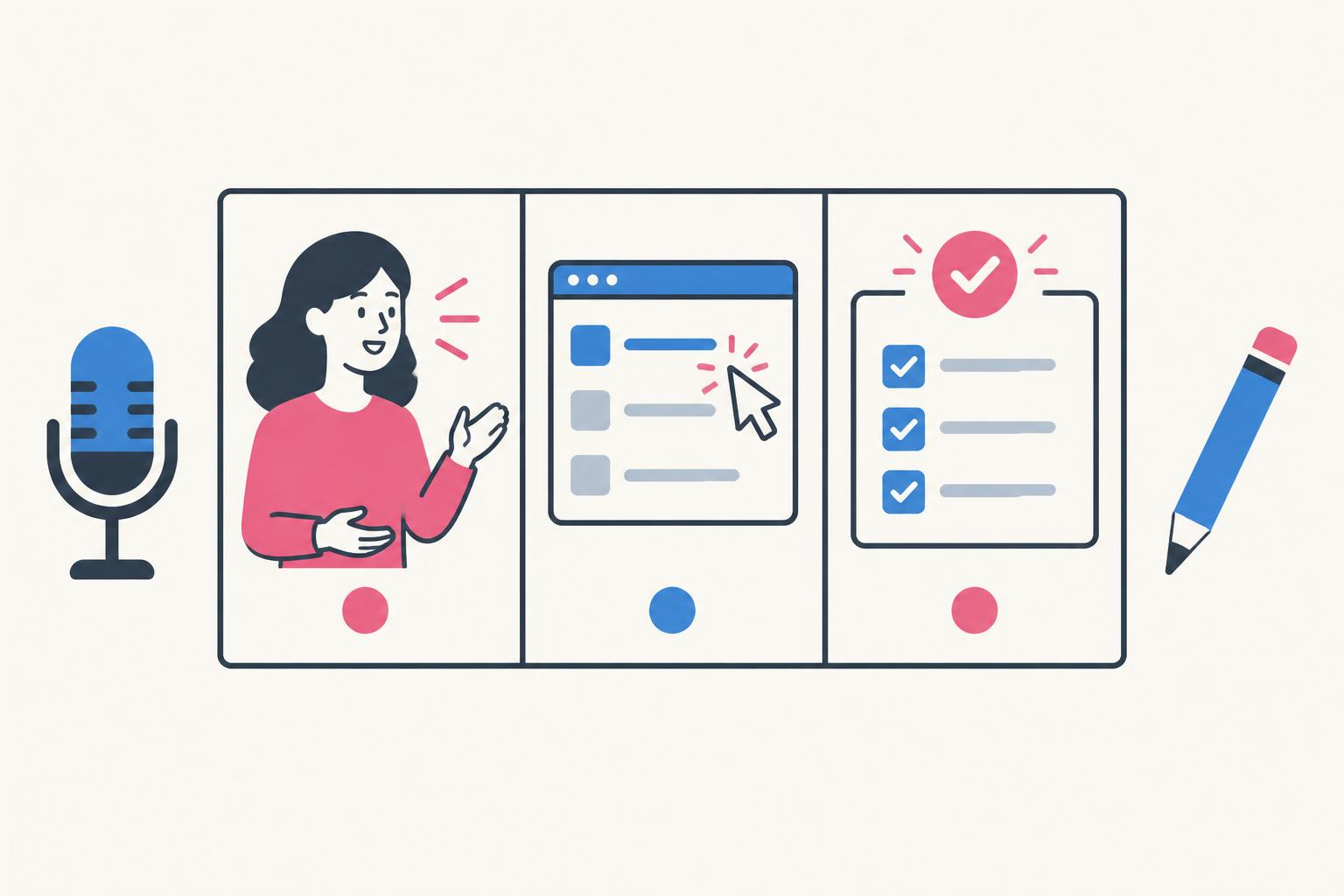
A SaaS ad has a problem that a skincare ad does not: the viewer cannot understand the product by looking at the box. You have to make a software task visible, establish why it matters, and show enough of the result that the promise feels believable. A generic “I found this amazing app” script rarely does all three.
This UGC script template for SaaS ads starts with the buyer’s task, not a creator’s excitement. It includes a fill-in brief, five original script directions, shot-by-shot examples, objection handling, and a testing system. Every sample below is an illustrative concept for a hypothetical product—not a client campaign, an actual customer quote, or a claim about results. If you want angles before you script, you can generate UGC video ideas for your product with my free tool.
Before You Write: Fill In the One-Workflow Brief
Do not send a creator your homepage and ask them to “make something engaging.” Send the conditions under which your software is useful. A strong brief states who the viewer is, what they are doing immediately before using the product, and what changes after one successful session. That creates a scene a person can recognize, not a list of adjectives.
| Field | Answer before filming | Worked example |
|---|---|---|
| Buyer | Role + relevant situation | Support lead at a small subscription business |
| Trigger | The moment the problem appears | Monday queue contains repeated cancellation requests |
| Current behavior | A task the buyer actually performs | Reading each message and tagging reasons manually |
| Input | The information the demo needs | An approved synthetic inbox with varied messages |
| Action | One visible product workflow | Group messages by cancellation reason |
| Output | A result the camera can inspect | A grouped list linked to the original messages |
| Boundary | What the product does not do | Suggested tags need human review |
| Offer | An available next step | Try categorizing a sample inbox |
| Evidence | What supports each claim | An uncut internal recording of the demonstrated workflow |
If the founder cannot fill in the output and evidence rows, do not solve the gap with stronger copy. Change the workflow or record the product first. The useful moment may be a small, repeatable action rather than the broad business outcome on the homepage. A visible grouped inbox is evidence of categorization; it is not evidence of reduced churn.
For the strategic work behind this brief, use the SaaS product marketing guide. For this article, keep the brief deliberately narrow: one person, one task, one proof scene.
The Six-Beat SaaS UGC Script Template
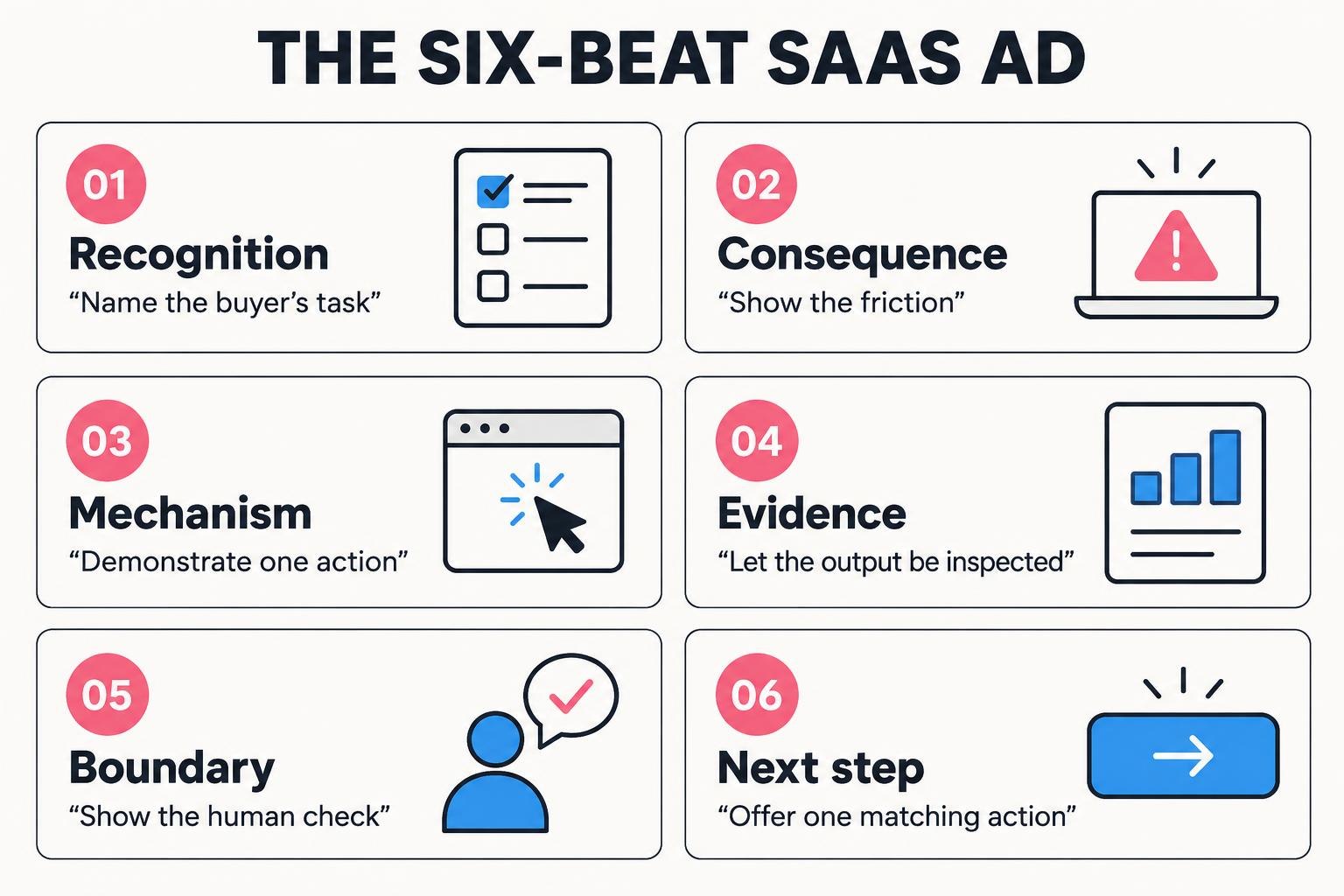
| Beat | Approximate window | Spoken line / production instruction |
|---|---|---|
| Recognition | 0–4 seconds | Name the task: “Support leads: do you still tag cancellation reasons one by one?” |
| Consequence | 4–8 seconds | Show the friction: “You finish the queue and still cannot see the pattern.” |
| Mechanism | 8–18 seconds | Introduce the product through a verb: “I select these messages and group them by reason.” |
| Evidence | 18–28 seconds | Let the output fill the frame; open one group and its original messages. |
| Boundary | 28–34 seconds | “I check the suggested labels before using the report.” |
| Next step | 34–40 seconds | “Try it on the sample inbox before connecting your own.” |
Keep the recognizable task in the first spoken sentence. Product names can wait until the action makes sense. On screen, show the software during the mechanism beat, not only after a long face-camera introduction. Hold the output long enough for someone to read one meaningful row. An interface flashed for half a second is decoration, not proof.
The boundary beat is not an apology. It tells the viewer which part of the promise to believe. In AI software, “review the suggested labels” is often more credible than “never do support work again.” In a collaborative product, “your team still chooses the owner” makes the automation legible rather than magical.
Five Original Script Templates for Different Buying Problems
1. The Manual-Task Replacement Script
Illustrative support-tool version: “Support leads, if your weekly report means rereading tickets and counting the same reasons, here’s a different way. I select this sample inbox and ask the tool to group the cancellation messages. These clusters link back to the original tickets. I check the labels before sharing the report. Try the sample inbox if this is the part you want to simplify.”
Film the old action briefly, then the new path. Do not put a fake stopwatch over the footage. If you want to claim time savings, define the task, record repeatable timed runs, keep the conditions, and have the brand approve the wording. Without that evidence, describe removed actions rather than invented minutes.
2. The Switching-Friction Script
Illustrative scheduling-product version: “The part I wanted to test wasn’t the calendar view. It was whether an existing task list would survive the switch. I imported this sample CSV, mapped the due-date column, and checked the assignments. The custom status names needed matching, so I did that before finishing. Start with one project rather than your whole workspace.”
This direction is useful for buyers who already understand the category. It addresses a real blocker: adopting new software can create work. Show the column mapping and a checked row, including an exception when relevant. Never say a migration is effortless when the footage depends on preparation you have hidden.
3. The Objection-First Script
Illustrative approval-tool version: “My first question about approval software was whether a client could edit the original file. So here’s the part I checked: this sample reviewer can leave comments and approve, but cannot change the source in this setup. That is a workflow setting, not a security audit. If reviewer access is your blocker, review the permission guide before deciding.”
4. The Output-First AI Script
Illustrative voice-note organizer version: “These are draft action items from this sample voice note. Let me show you the steps—not just the result. I upload the recording, choose the meeting template, and get an editable list. I corrected one owner before exporting. Try the workflow with a non-sensitive recording first.”
Keep the original input available. Viewers should be able to see whether an action item came from the source rather than assume every generated line is accurate. If the edited result appears first, identify it as the edited result and show the correction later.
5. The Workflow-Comparison Script
Illustrative review-collection version: “There are two ways to gather feedback on a landing-page draft. In this example, the manual way means emailing screenshots and combining replies. With this tool, I send one review link and read comments beside the page. The trade-off is that reviewers need to open that link. I’d use it for async reviews, not a live workshop. Try it with one internal draft.”
Twelve Hooks That Qualify Buyers Instead of Chasing Everyone
| Buyer situation | Hook to adapt | Required opening visual |
|---|---|---|
| Repeated manual work | “If [task] still starts with copying [input], watch this step.” | The repeated action |
| Existing tool fatigue | “I don’t need another dashboard. I need [specific output].” | The finished output |
| Switching anxiety | “Before moving anything, I tested one [record/project].” | One import and its result |
| AI skepticism | “Here’s the part of this AI result I had to correct.” | The correction |
| Setup concern | “What happens between signing up and the first useful [output]?” | The actual setup path |
| Wrong audience | “This is for [role] handling [situation], not every team.” | Role-specific input |
| Access concern | “Can [reviewer] see this without changing the source?” | Access setting |
| Budget concern | “Check this [plan limit] before choosing a plan.” | Current plan details |
| Hidden effort | “The demo looks easy. Here’s the preparation it needed.” | Prepared input with explanation |
| Collaboration gap | “The task is done. Can your teammate use the result?” | Export or handoff |
| Accuracy check | “I checked one output against the original before trusting it.” | Source and output side by side |
| Small test | “Try this on one [input], not your whole workspace.” | A scoped sample |
A hook is a targeting decision. “Everyone needs this” avoids that decision and often attracts people who cannot use the product. A narrower opener can reduce superficial engagement while improving relevance. Treat that as a hypothesis to test, not a promise that smaller reach always converts better.
Turn the Script Into a Shootable Shot List
- Record the complete workflow first. Note setup, loading, exceptions, and the exact point where the useful output appears.
- Mark each script sentence as face-camera, screen, output, or disclosure. A sentence without a visual job is a candidate for deletion.
- Use an approved demo workspace with synthetic or permissioned data. Hide names, tokens, inbox contents, and unrelated tabs.
- Capture a clean screen master separately from the presenter. Frame the meaningful controls for a phone rather than shrinking a desktop screen.
- Record three genuinely different opening lines while the setup is ready. Keep the body consistent if the experiment is about the hook.
- Export a captioned cut and the agreed clean version. Check platform overlays in the target placement before approving.
A useful editing brief might read: “At the grouping action, zoom on the selected messages. At the result, show the group title and source ticket. Keep the human correction visible. Do not replace actual output with a designed mockup.” That instruction protects the argument of the video, not just its appearance.
Use the SaaS demo video guide for deeper recording choices, and the SaaS UGC pricing guide to scope hooks, alternate edits, and usage rights before filming.
Watch: Native Storytelling, Then Add Your Software Proof
This platform-produced film is a reference for native creative language, not a SaaS customer case study. As you watch, separate attention-grabbing presentation from the product evidence your own script still needs. Compare its storytelling choices with your opening, demonstration, and CTA; do not infer that an entertaining format guarantees qualified SaaS trials.
The New Creative Language: A Tokumentary | TikTok for Business
Loading this video connects to www.youtube-nocookie.com, which may collect your IP address and use cookies.
Source: TikTok for Business Europe on YouTube.
Claims, Disclosures, and First-Person Copy: The Non-Negotiables
A paid spokesperson should not pretend to be a long-term customer. “The team asked me to walk through this workflow” is honest; “I’ve used this every day for six months” is not acceptable unless true. Endorsements must reflect honest experience, and material relationships need clear disclosure under the FTC’s endorsement guidance.
For TikTok promotion, follow the platform’s commercial-content disclosure requirements. Check the finished video itself as well: a platform label is not a universal substitute for a clear disclosure in the content. TikTok’s misleading-content policy also matters when an ad’s offer or claims do not match the landing page.
| Draft claim | Evidence needed | Safer wording if evidence is absent |
|---|---|---|
| “Saves 10 hours every week” | Documented task, measurement method, and relevant user evidence | “Removes the manual tagging step shown here” |
| “Works with every CRM” | Current supported integrations and tested scope | Name the demonstrated integration |
| “No setup” | Actual first-use path with its required steps | “Here are the setup steps” |
| “Fully private” | Precise documented data practices and security review | Describe the specific setting; link the policy |
| “I use it daily” | True personal use | “I tested this sample workflow” |
A Testing Plan That Produces a Decision
Start by writing the question: are qualified people failing to recognize the task, failing to understand the product, or failing to believe the result? Those are different experiments. Hook tests address recognition. Screen-sequence tests address comprehension. Evidence and objection tests address belief.
For a first round, use three hooks against one approved body and one landing page. Keep the audience, offer, and evaluation window comparable. Record spend, impressions, clicks, landing-page visits, and the product’s first-value event where consent and attribution permit. A sign-up without a completed workflow is not the same outcome as an activated trial.
| Observed pattern | Possible explanation | Next controlled change |
|---|---|---|
| People leave before the product appears | Hook is broad or introduction is too long | Move the task and software earlier |
| Clicks rise, activation stays weak | Ad overpromises or setup differs from the demo | Match the first-use path and clarify requirements |
| Relevant comments repeat one objection | The proof scene does not resolve a buyer concern | Add a verified answer to that objection |
| One hook wins on clicks only | It may attract curiosity rather than fit | Compare qualified activations before scaling |
Set a stopping rule before spending. With a small sample, write “inconclusive” rather than declare a winner from one conversion. Keep losing concepts with a note about what they taught you; they may fit a different persona or buying stage.
Copyable SaaS Hooks With Their Proof Requirements
These additional openings are original hypothetical script starters, not testimonials. Copy the line only after replacing the task with something your product genuinely does. Pair each opener with the proof scene below it, then use the six-beat framework to build the body. For a larger collection, the separate hook guide focuses on opening-line variation rather than the complete production process.
Open the 50 SaaS UGC hooks or free UGC video idea tool when you need more distinct angles.
Six proof-led SaaS script starters
- 1.
Before I trusted this suggested label, I opened the original ticket.
Product fit: Support categorization software; show a real reviewable suggestion, not a perfect-output claim.
Opening shot: Show an approved sample ticket beside its suggested category.
- 2.
The calendar is not the test. Getting one existing project into it is.
Product fit: Scheduling software with a verified import workflow.
Opening shot: Show one sample import, its mapped columns, and a checked task.
- 3.
This draft came from these notes. Here is the line I changed.
Product fit: AI drafting software; demonstrate the actual source and edit.
Opening shot: Hold source notes and the corrected draft side by side.
- 4.
A reviewer should not need another copy of the file to leave this comment.
Product fit: A documented link-based review workflow, subject to actual access settings.
Opening shot: Show a sample reviewer opening the link and adding a comment.
- 5.
I would test this on one record before moving the entire workspace.
Product fit: Migration or data-cleanup software with a reversible sample test.
Opening shot: Display one approved record before and after the operation.
- 6.
The export exists. Now check whether your teammate can actually use it.
Product fit: Reporting or handoff software with a verified supported export.
Opening shot: Open the exported sample in its intended destination.
A Complete Two-Column SaaS UGC Script You Can Adapt
The hypothetical product below turns approved meeting notes into a draft follow-up. It is not a real client campaign, and its capabilities must be replaced with verified capabilities of your own product. The objective is a sample-workflow trial, not an exaggerated promise that the tool runs a business automatically. Timing is a rehearsal guide; adjust it to the actual clicks and reading time.
| Beat | Spoken line | Visual and proof requirement |
|---|---|---|
| Recognition | Still turning meeting notes into the follow-up one sentence at a time? | Show an approved synthetic note and an unfinished email. |
| Consequence | The awkward part is keeping the decisions and owners straight. | Highlight two decisions and their owners in the sample notes. |
| Mechanism | I add these notes, choose the follow-up format, and generate a draft. | Show the actual supported input and action; disclose prepared input. |
| Evidence | Here is the draft beside the original notes. | Display readable source and result, not a fabricated finished screen. |
| Boundary | I corrected this owner before sending anything. | Show the correction; do not imply a real client message was sent. |
| Next step | Try it with sample notes first, then decide if the workflow fits. | Show the matching sample option and truthful destination link. |
Notice what is absent: a made-up number of hours saved, an invented quote from a customer, and a promise of flawless AI output. The script can still be specific because the proof is visible. If a numerical time claim matters commercially, collect evidence under defined conditions before using the number. A fast edited video does not establish how long the unedited task took.
The creative brief should also specify whether the presenter is a user, a paid spokesperson or the founder. “I tested this workflow” can be true for a commissioned creator who actually tests it; “this transformed my team’s productivity” requires a real experience and appropriate context. Add a clear sponsorship disclosure where applicable rather than hiding the relationship behind native styling.
Rewrite Weak SaaS Scripts Without Making Stronger Unsupported Claims
| Weak line | Why it fails | Evidence-aware replacement |
|---|---|---|
| This app changes everything | No task or audience | Here is one way to organize these approved notes. |
| You never have to check AI again | Unsupported accuracy promise | I compare the draft with the source before using it. |
| It integrates with everything | Scope is undefined | This demo uses the documented calendar integration. |
| I saved ten hours instantly | No measurement conditions | This workflow removes the manual copying step shown here. |
| The most secure app | A demo cannot prove security | Here is the documented access setting; review the security information. |
| Everyone needs this | No buyer qualification | For teams doing this recurring review task, test this sample. |
A rewrite should make the claim narrower and the proof clearer. Avoid replacing one vague superlative with another. When a brand insists on a claim, ask for the evidence, the allowed wording, and the conditions under which it holds. If those are missing, remove the claim or choose a different demonstrated benefit. This protects the viewer and avoids an expensive reshoot later.
Fix visual contradictions too. A line about checking an AI result cannot play over an animation of a perfect result appearing instantly. A line about a review link should not show the brand owner using an administrator account. Record from the relevant user perspective, label synthetic examples, and retain any exception essential to interpreting the result.
For a paid channel tutorial, use YouTube sponsorship scope guidance. A short creator ad and a sponsored tutorial may use the same real workflow, but they are different deliverables.
Approve the Script and Test Plan Before Filming
SaaS script production checklist
8 items still to confirm.
Keep the approved claims and the approved recording together. When the product changes, a script that was accurate last month may no longer be accurate. Have someone responsible for the product check the final cut, including overlays and captions. A visual claim in the edit requires the same evidence discipline as a spoken line.
| Creative | Variable | Outcome to record | Decision note |
|---|---|---|---|
| A | Manual-task hook | Qualified visits and first-value events | Did viewers recognize the task? |
| B | Output-first hook; same body | Same denominators and time window | Did output-led attention attract the right users? |
| C | Objection-first hook; same body | Same denominators plus recurring questions | Was the concern genuinely resolved? |
Do not call the largest click-through rate the winner until you know what happened after the click. A sensational opener can bring curiosity and poor-fit trials. Conversely, a narrower opener may have too little data for a decision. Write “inconclusive” when the sample cannot support a comparison, and preserve the exact creative versions so later edits do not contaminate the record.
For an app launch, pair this production plan with marketing a vibe-coded app. For browser products, the Chrome extension marketing guide adds permission and install proof.
UGC Script Template for SaaS Ads: FAQ
How long should the script be?
Use the shortest script that demonstrates the task and its result clearly. The 30–40 second structure above is a production starting point, not a required duration. Read the script out loud with the screen sequence; word count alone misses click timing and useful pauses.
Can AI write the script?
AI can propose variations from an approved brief, but it cannot verify your product behavior or invent a customer experience. Give it the permitted claims, recorded workflow, buyer role, and banned statements. A human should check every first-person line and compare the draft with the real recording.
Can we use these scripts as customer testimonials?
No. These are illustrative spokesperson/demo concepts. A genuine testimonial needs a real customer’s honest experience, appropriate consent, and accurate context. Rewriting a template in first person does not turn a creator into a customer.
Do three hooks count as three concepts?
Not if the buyer, promise, and body are unchanged. They are three opening variations of one concept. A different concept changes the buying problem, mechanism, or evidence—not just the first sentence.
Make the Next Ad Easier to Believe
Pick one template, record the workflow, and build a claims ledger before you write the final hook. If you want a SaaS creator/spokesperson and creative team to turn that brief into a finished ad, explore my content packages or book a call. Bring the workflow you want to show; we can shape the story around it.
Share
Article footer · AI discovery
Want to explore this topic further?
Ask questions about this article or use it as a starting point for deeper research.
Want content that makes your SaaS product click?
Email promotions@fuelyourdigital.com or explore my content packages.