Best AI Tools for SaaS Product Demo Videos 2026: 8 Options, 3 Different Jobs
Compare Descript, Screen Studio, Demosmith, Guidde, Loom, Supademo, Synthesia and HeyGen by real UI capture, AI assistance and output. Includes a same-workflow buying test and cost checklist.
Search for the best AI tools for SaaS product demo videos in 2026 and you will find screen recorders, avatar generators and interactive-demo platforms in the same list. That is the first buying trap: they do not all produce the same thing.
This guide separates eight options by the job they do, links to official documentation and gives you a practical same-workflow evaluation. It avoids fabricated test results, stale pricing tables and the idea that a generated presenter can replace actual product proof.
Quick answer: choose the output before the AI tool
For a recorded SaaS workflow, start by comparing Descript, Guidde and Loom; include Screen Studio if you use a Mac and want polished automated framing. For AI-generated demo videos, interactive demos and docs without screen recording, evaluate Demosmith. For a clickable product tour, evaluate Supademo as an interactive-demo tool, not simply another video editor. For a synthetic presenter or localisation workflow, inspect Synthesia and HeyGen—but pair the presenter with accurate product footage when the viewer needs proof of your software.
A useful demo has to show what the software actually does. An avatar can narrate, an AI editor can remove pauses, and a click-through tour can let someone explore. None automatically decides the buyer’s question or verifies every product claim. The tool is part of a production workflow, not a substitute for product judgement.
The three categories most comparison articles mix together
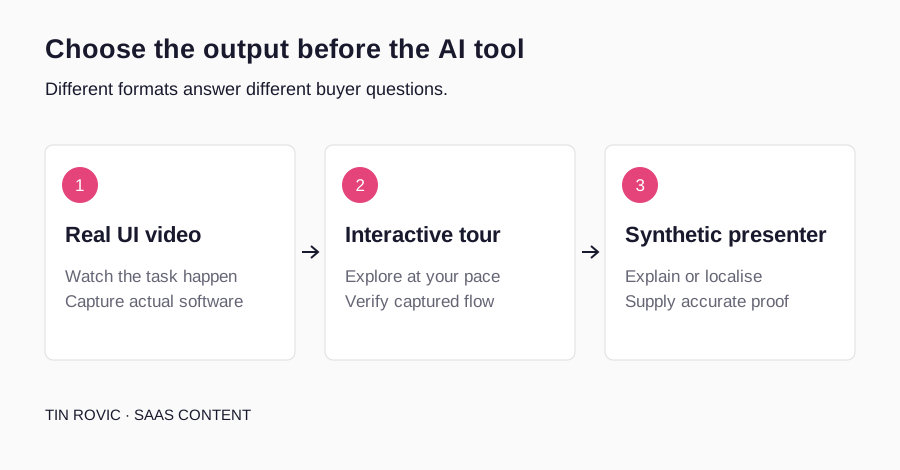
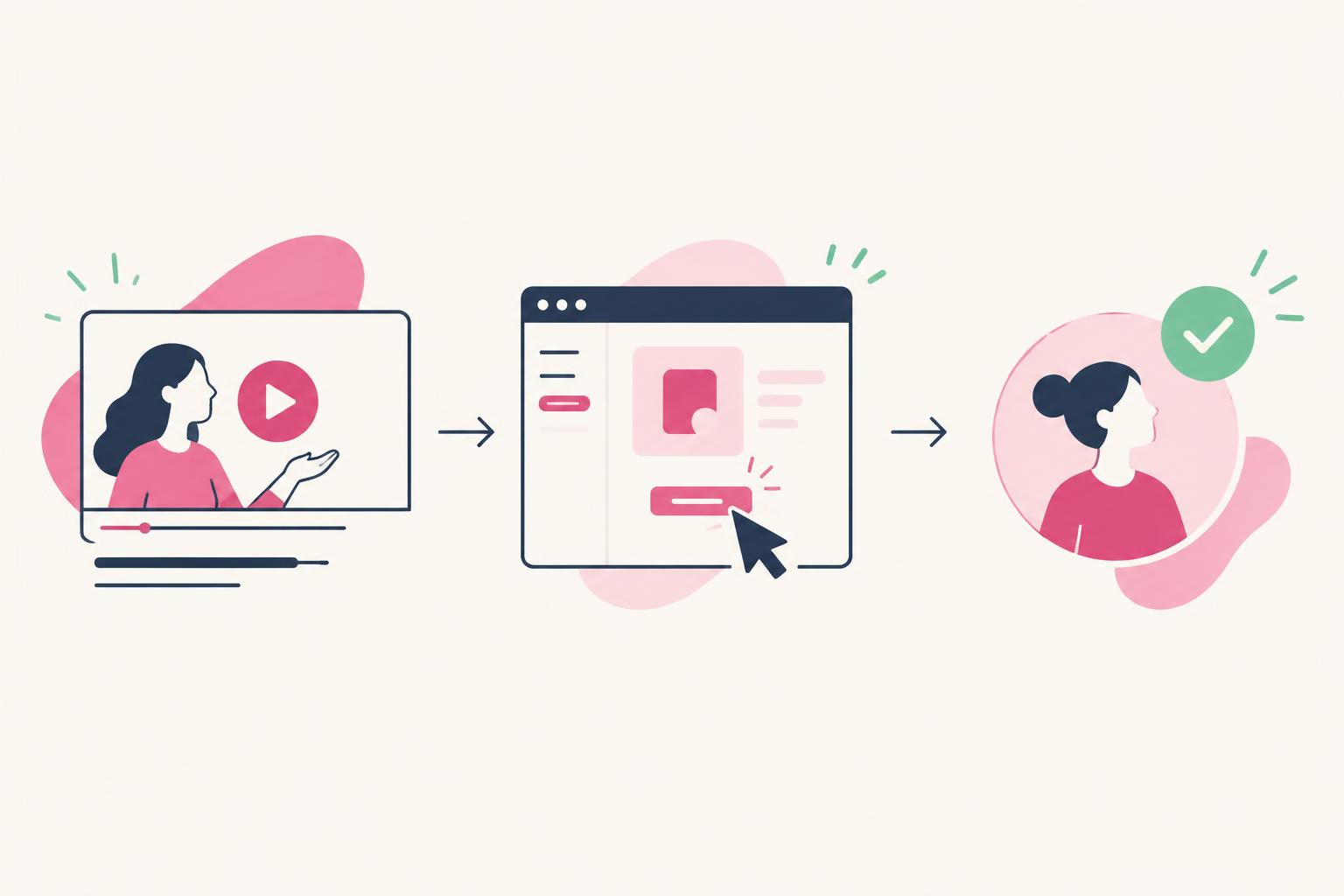
| Category | Underlying material | Typical output | Main buyer question |
|---|---|---|---|
| Real recording + editing/automation | Your actual interface and narration | Video walkthrough | Can I watch the product do the job? |
| Interactive demonstration | Captured screens, cloned UI or a guided flow | Clickable tour or sandbox-style experience | Can I explore the workflow at my pace? |
| Synthetic presenter/localisation | Script, avatar, voice and supplied assets | Presenter-led video | Can we explain this consistently in more versions? |
Screen Studio is included as an automation-heavy adjacent option; its value is automated screen presentation, not an assumption that everything it does is generative AI. Supademo’s core value is interaction. Synthesia and HeyGen are useful presenter tools, but a synthetic person speaking beside slides is not by itself a demonstration of your app.
Tools can evolve across category boundaries. Judge the exact feature you would use rather than relying on a permanent label. A video tool may add an interactive feature; an avatar platform may support supplied screen footage. The purchase question remains: what source material does it use, and what accurate final asset can you deliver?
Comparison table: 8 tools and their realistic jobs
| Tool | Primary job | Source of product proof | AI or automation role | Main caution |
|---|---|---|---|---|
| Descript | Recorded video editing | Your screen capture and footage | Transcript-based editing and audio assistance | Check media/AI usage and export limits |
| Screen Studio | Polished Mac screen recording | Your real recorded UI | Automatic zoom and cursor/framing treatment | macOS requirement; not a general AI video generator |
| Demosmith | Demo video, interactive demo and docs | Agent-run workflow in your product | Automated walkthrough and supporting asset generation | Review generated steps, data access and plan limits |
| Guidde | Step-based product guidance | Captured product actions | Generated narration and guidance | Review generated steps and privacy features |
| Loom | Fast recorded walkthroughs | Screen, webcam and voice | Summaries, chapters and editing features by plan | Confirm AI tier and delivery/export needs |
| Supademo | Interactive product exploration | Captured or cloned workflow | Text, voice and translation assistance by feature | Interactive output is not automatically an MP4 video |
| Synthesia | Synthetic presenter and localisation | Supplied product assets alongside presenter | Avatar/voice generation and translation | Presenter is not evidence of real product use |
| HeyGen | Synthetic presenter and translated video | Supplied accurate footage or assets | Avatar, voice and localisation capabilities | Check likeness consent and usage/credit terms |
The right first test depends on the destination. A support team needs an accurate, maintainable step-by-step guide. A founder posting a quick prospect walkthrough may need speed and sharing. A landing page may need a compact finished video or a tour people can explore. A multilingual training team has a different problem again.
Do not compare every tool by “number of videos per month.” Minutes, AI credits, seats, voices, rendering, resolution and hosting can be priced differently. Export a representative asset during a trial so the comparison reflects your real workload.

1. Descript — for editing a real demo through its transcript
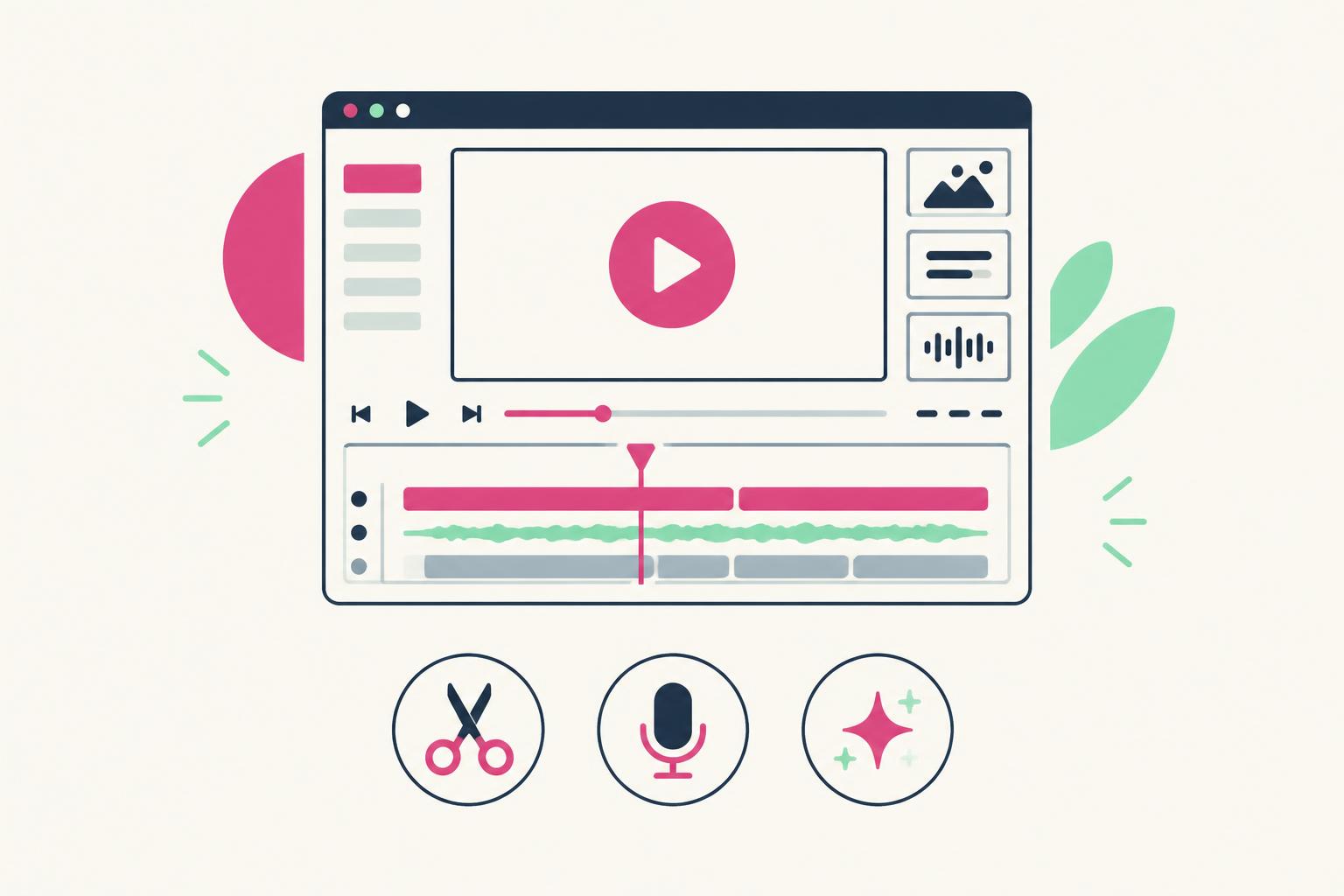
Descript combines recording with transcript-oriented video and audio editing. That makes it a relevant starting point when your workflow begins with a real person explaining a real screen recording and you want to clean up the delivery without managing every cut manually.
Its official pages describe screen recording, AI-assisted editing and audio tools. The product can help with narration and editing, but generated or repaired speech should still be checked against the footage. A smooth sentence that names the wrong setting is worse than a natural pause. Descript screen recording Official product overview Current pricing and limits
- Good fit: a narrated walkthrough with edits driven by the transcript.
- Test: cut a sentence and confirm the screen sequence still makes sense.
- Check: voice permissions, AI usage, export resolution and project portability.
- Less suitable as a sole solution: a clickable self-serve product tour.
Suggested test: record a short import workflow, remove a repeated explanation, improve audio and export a clean version. Review the timing of the cursor, captions and narration. If AI shortens the explanation, ensure it has not removed a prerequisite that a viewer actually needs.

2. Screen Studio — for polished screen capture on macOS
Screen Studio focuses on screen recordings with automatic zoom, cursor treatment and framing. Its product-demo page shows the relevant job: making a real captured workflow easier to watch. It belongs in this guide because smart automation can solve the founder’s problem without requiring generative video.
The macOS requirement matters. Do not recommend it to a Windows-only team without confirming a supported workflow. Also avoid describing automatic framing as proof of generative script or voice capabilities that you have not checked. Official Screen Studio site Product-demo use case
- Good fit: a founder or creator needing clean, focused Mac screen footage.
- Test: record both a small control and a full-screen output; inspect how framing handles each.
- Check: current license, supported system, export formats and portrait cropping.
- Less suitable as a sole solution: multilingual presenter generation or interactive analytics.
Automation should not conceal the task. If the zoom follows a click but crops the result or hides a permission requirement, adjust the framing. Polished movement is useful only when the buyer can still inspect what happened. Use the official site for purchasing; do not rely on similarly named third-party pricing pages.

3. Demosmith — for AI-generated demos without screen recording
Demosmith approaches the demo job from the opposite direction of a recorder: you point it at your product, it walks the flow you specify and returns a demo video, a clickable interactive demo and supporting documentation from the same run. That structure suits teams whose bottleneck is recording and editing time rather than the story itself, especially when sales, onboarding and docs all need versions of the same walkthrough.
Review the generated demo before publishing, especially when the workflow uses account-specific data or important product settings. As with any automated demo workflow, review the generated steps, captions and narration against the live product before publishing. Check what the tool can access in your workspace, what it stores, and whether the formats you need (video, interactive demo, docs) match your intended destination on the plan you would buy. Demosmith official overview · Current pricing and plan limits
- Good fit: teams that need a demo video, an interactive demo and docs from one workflow without screen recording.
- Test: point it at one real onboarding flow and compare the generated steps with the live product.
- Check: generated-step accuracy, data access, branding controls, export formats and language features on your plan.
- Less suitable as a sole solution: a human-led, story-driven ad or a demo that depends on nuanced personal delivery.
Because the agent runs the product flow on your behalf, its maintenance story is worth testing early: when the UI changes, does a regenerated walkthrough keep the edits you approved, or do you review everything again? Pricing is demo-volume based with free seats at the time of writing, so model your monthly demo count against the current official plan instead of relying on a cached screenshot.

4. Guidde — for repeatable step-based video guidance
Guidde’s public positioning centres on turning captured workflows into video guidance, with AI-assisted narration and step explanations. That fits onboarding, support and internal enablement where teams need many understandable process assets rather than a single launch film.
Review the generated sequence before publishing. A capture tool can record what you clicked; it cannot know whether you used an appropriate account, skipped a required setting or exposed information you were not allowed to show. Check voice and translation quality with a speaker familiar with the terminology. Guidde official overview Current plan information Official release notes
- Good fit: repeatable product guidance and first-value onboarding steps.
- Test: capture a five-step task and review the automatically generated descriptions.
- Check: redaction, sharing controls and language features on your actual plan.
- Less suitable as a sole solution: an expressive creator-led ad with original storytelling.
Maintenance is part of the buying test. Ask how you update a step after a UI change and what happens to old shared links. A team producing dozens of guides can save recording effort but still accumulate a costly inaccurate library if ownership and review dates are unclear.

5. Loom — for fast screen-and-face walkthroughs
Loom is a useful option when the job is quickly recording a real workflow and sharing it with someone else. Its AI documentation describes assistance such as titles, summaries, chapters and editing features, with availability tied to plans and product settings.
For sales follow-up or async explanation, speed may matter more than cinematic production. For a polished brand-owned ad, you may need an additional editing workflow. Confirm how you will obtain the final asset and whether the intended sharing or export experience is included. Loom AI features Official pricing
- Good fit: quick prospect explanations, product feedback and contextual follow-ups.
- Test: record, share and inspect the viewer experience while signed out where appropriate.
- Check: AI availability, recording limits, access controls and export options.
- Less suitable as a sole solution: complex branded editing or a clickable product tour.
An automatically generated summary can improve discoverability for the recipient, but verify it accurately describes the workflow. If your product uses specialised terminology, the transcript or chapters may need correction. Do not forward an unchecked summary into a sales sequence simply because it looks complete.

6. Supademo — when the buyer needs to click, not just watch
Supademo is primarily an interactive-demo option. Its official documentation describes several creation formats, including captured screens and other demo types. AI features may help with text, narration or translation, but the central decision is whether an interactive experience answers the buyer’s question better than a linear video.
A captured or cloned experience is not necessarily a live production environment. That can be useful for safe evaluation, but do not imply actions are live if they are simulated. Check whether the specific format you need exports to video; interactive sharing and MP4 delivery are different requirements. Supademo feature overview Demo creation formats Current pricing
- Good fit: a self-paced landing-page or sales evaluation tour.
- Test: complete the flow as a new visitor, including navigation and the ending.
- Check: capture format, sharing controls, analytics, exports and ongoing maintenance.
- Less suitable as a sole solution: a human-led short-form ad with custom editing.
Use a tour when inspection helps the buyer, not because interaction sounds more advanced. A prospect may want to check a configuration sequence; a social viewer may only need to see one outcome. A short video can introduce the task and a tour can support deeper exploration. Keep the claim consistent across both.

7. Synthesia — for synthetic-presenter and localisation workflows
Synthesia’s official positioning includes AI avatars, generated speech and multilingual video capabilities. That is relevant for training, internal communication and explainers where a consistent presenter format is useful. It is not, by itself, proof that your software performed a task.
For a SaaS demo, combine any synthetic presentation with accurate supplied screen footage or other verifiable product material. A generated presenter should not claim to be a satisfied real customer. Keep identity and experience claims truthful, and get the required consent for a personal avatar or voice. Synthesia official overview Avatar capabilities Current plan and usage details
- Good fit: presenter-led training or localisation around accurate product material.
- Test: a real product term, a sentence with numbers and a relevant screen sequence.
- Check: current generation credits/minutes, languages, consent and export requirements.
- Less suitable as a sole solution: authentic customer testimony or unrecorded product proof.
Plan names and allowances can change. Model the number of versions and re-renders you expect, not just final runtime. If product updates require generating five language versions again, the monthly workload is larger than the original video length suggests.

8. HeyGen — for avatar and translated-video production
HeyGen’s official pages describe avatar generation, voice capabilities and video localisation. It can be relevant when you need a presenter-led version or translated communication, with the same requirement to verify product footage and maintain truthful representation.
Do not assume translated technical language is correct because the lip sync looks convincing. Review feature names, units, pricing references and any compliance-sensitive statements with someone who understands both the language and the product. HeyGen current pricing Official credit-plan explanation API pricing documentation
- Good fit: presenter variants and localisation with a defined approval process.
- Test: a short technical explanation using accurate supplied product footage.
- Check: consent for likeness/voice, credit use, re-render cost and output quality.
- Less suitable as a sole solution: an unscripted human endorsement or a real customer interview.
Keep ordinary editing rights separate from identity reuse. Permission to appear in a video should not be treated as permission to create an avatar, clone a voice or generate future endorsements. Resolve those questions in writing before producing synthetic variants.
A same-workflow buying test you can run
Choose one representative workflow and use it for every tool you are seriously considering. It should include a small control, a loading or transition state and an inspectable final output. Use a safe account with realistic but non-sensitive data. Keep the script and source material comparable so the tool—not a different brief—is what you are evaluating.
- Write the buyer’s question and the output they need: video, clickable tour or presenter-led explanation.
- Create a short script and safe sample workflow, then record a clean source if the tool needs one.
- Run the specific advertised assistance you plan to use: editing, narration, framing or translation.
- Check whether the generated result removes a prerequisite, changes meaning or invents a product detail.
- Inspect the smallest important UI text at the intended viewing size.
- Export or share the actual asset you would deliver—not only the editor preview.
- Time recording, processing, corrections and final export separately.
- Repeat one product change to measure maintenance effort.
- Price the real monthly workload, including seats, usage and re-renders.
- Keep the findings as observations, not a public benchmark from one unrepresentative test.
| Criterion | How to check | Potential fail condition |
|---|---|---|
| Capture fidelity | Compare output with real product task | Invented or unreadable UI |
| Narration accuracy | Review script against actual steps | Wrong feature or skipped requirement |
| Portability | Open final exported/shared asset | Required format unavailable |
| Review workflow | Make one factual correction | Correction cost or permissions unsuitable |
| Accessibility | Inspect captions and legibility | Key information inaccessible |
| Privacy | Review captured data and settings | Sensitive data exposed |
| Maintenance | Replace one changed step | Unmanageable rework |
| Cost | Model representative volume | Usage cannot fit budget |
Compare total cost, not a search-snippet price
We intentionally do not reproduce a fixed price table here. Official tiers and credit models change, and headline plan prices are not equivalent units. Open the linked pricing pages and calculate your expected workload. A cheaper seat may be more expensive if it lacks export quality or needs another product for the final edit.
- How many people need to create or approve assets?
- How many final videos, tours or language versions will you produce?
- How much source material will you upload and how many re-renders are likely?
- Which export resolution, file format or embed controls are required?
- What happens to hosted assets if you cancel?
- Which privacy, redaction or access features require a higher tier?
- Who checks facts and maintains assets after a product change?
A time-saving claim is meaningful only if you count corrections. If AI creates a draft in two minutes but takes thirty minutes to repair terminology and timings, record the full production time. Human review is not a failure of the tool; it is part of the workflow you are buying.
Product truth, privacy and accessibility checks
Never generate a fictional interface and present it as the app working. A stylised explainer can illustrate a concept if clearly framed as illustration; a product demo needs actual or explicitly simulated product evidence. If a feature is only available on a specific plan, include that context where it affects the viewer’s task.
Prepare a safe demo account, turn off notifications and use approved sample data. Check whether uploaded recordings, voice files and product information are retained or reused under the vendor’s current terms. Confirm the specific security and access controls on the plan you would buy instead of assuming an enterprise feature is present everywhere.
Captions and readable product text improve inspectability. Do not place captions over the critical control or output. When screen text is small, frame the relevant area rather than trusting a viewer to zoom. A narration track should explain the meaningful action, not only say “click here.”
For a deeper comparison of human and synthetic creator content—including honest identity and experience—use the existing guide. AI UGC versus human UGC
Three lean demo stacks by the job
| Job | Possible workflow | Human responsibility |
|---|---|---|
| Founder walkthrough | Loom or Screen Studio → optional Descript edit | Select task, explain accurately, approve output |
| Repeatable onboarding | Guidde → factual and accessibility review | Verify steps, maintain ownership and updates |
| Self-serve evaluation | Short introduction → Supademo tour | Keep tour accurate and ending useful |
| Localised training | Accurate footage → Synthesia or HeyGen presenter | Consent, translation and product-fact approval |
Do not buy four products to solve a one-video problem. Start with the minimum stack that creates the needed output, then add capabilities only when a real bottleneck appears. If the bottleneck is an unclear story, buying more automation can produce unclear content faster.
If you need the production framework rather than software selection, the existing demo guide covers scripting and placement. Keep this article’s job narrower: selecting the right tools and verifying what they deliver. SaaS demo video planning guide SaaS video production guide
Frequently asked questions
What are the best AI tools for SaaS product demo videos in 2026?
The useful shortlist depends on the output. Descript, Guidde and Loom can support real recorded workflows; Screen Studio is a Mac-focused automation option; Demosmith generates demo videos, interactive demos and documentation from an agent-run product flow; Supademo supports interactive evaluation. Synthesia and HeyGen support synthetic presenters and localisation. Test the current feature and plan against your own product task.
Can an AI avatar tool show my SaaS working?
It can present accurate footage or assets you supply, but the presenter itself is not evidence that the product works. Use a real recording or clearly identified simulation for the workflow. Do not imply synthetic narration is a real customer’s experience.
Is an interactive demo better than a video?
Not universally. A video controls the story and works well when the viewer needs a quick explanation. A tour supports self-paced inspection. They can complement each other, and the right choice depends on the buyer’s question and destination.
Why is there no fixed pricing table?
Prices, tier names and credit allowances change, and the billing units differ. The guide links directly to official pricing so you can model seats, runtime, re-renders and export requirements without treating stale snippets as current quotes.
Do I still need a human creator?
Sometimes. Tools can speed editing and localisation; a creator can contribute product learning, a clear buyer story, believable delivery and audience distribution. Choose based on the missing capability. A tool subscription does not automatically include those services.
Can I use a free plan for a commercial demo?
Check the current terms and limits for the tool and plan. Confirm watermarking, resolution, commercial usage, hosting and asset permissions before delivering. Do not infer allowed usage merely because the editor lets you export.
Choose the workflow your buyer needs to see
The best AI tool is the one that helps you produce the right, accurate asset with a manageable review and maintenance process. Choose video, interaction or synthetic presentation first. Test one real workflow. Count correction time and verify the final output before subscribing. If you want to scan a wider catalog beyond demo production, ElloAI is an AI tools directory that curates options across categories, so it is a quick way to check what else is out there.
If the missing piece is a human-led product story rather than another editor, I create AI and SaaS demos with a creative team behind me. You can explore a single asset, a fuller content scope or audience collaboration when it fits your product. Explore content options UGC for AI apps
Share
Article footer · AI discovery
Want to explore this topic further?
Ask questions about this article or use it as a starting point for deeper research.
Want content that makes your SaaS product click?
Email promotions@fuelyourdigital.com or explore my content packages.