UGC for Chrome Extensions: Demo-First Videos That Help Users Install With Confidence
Learn how to market Chrome extensions with original creator-led demos, permission-aware scripts, Web Store message match, and a first-value measurement plan.
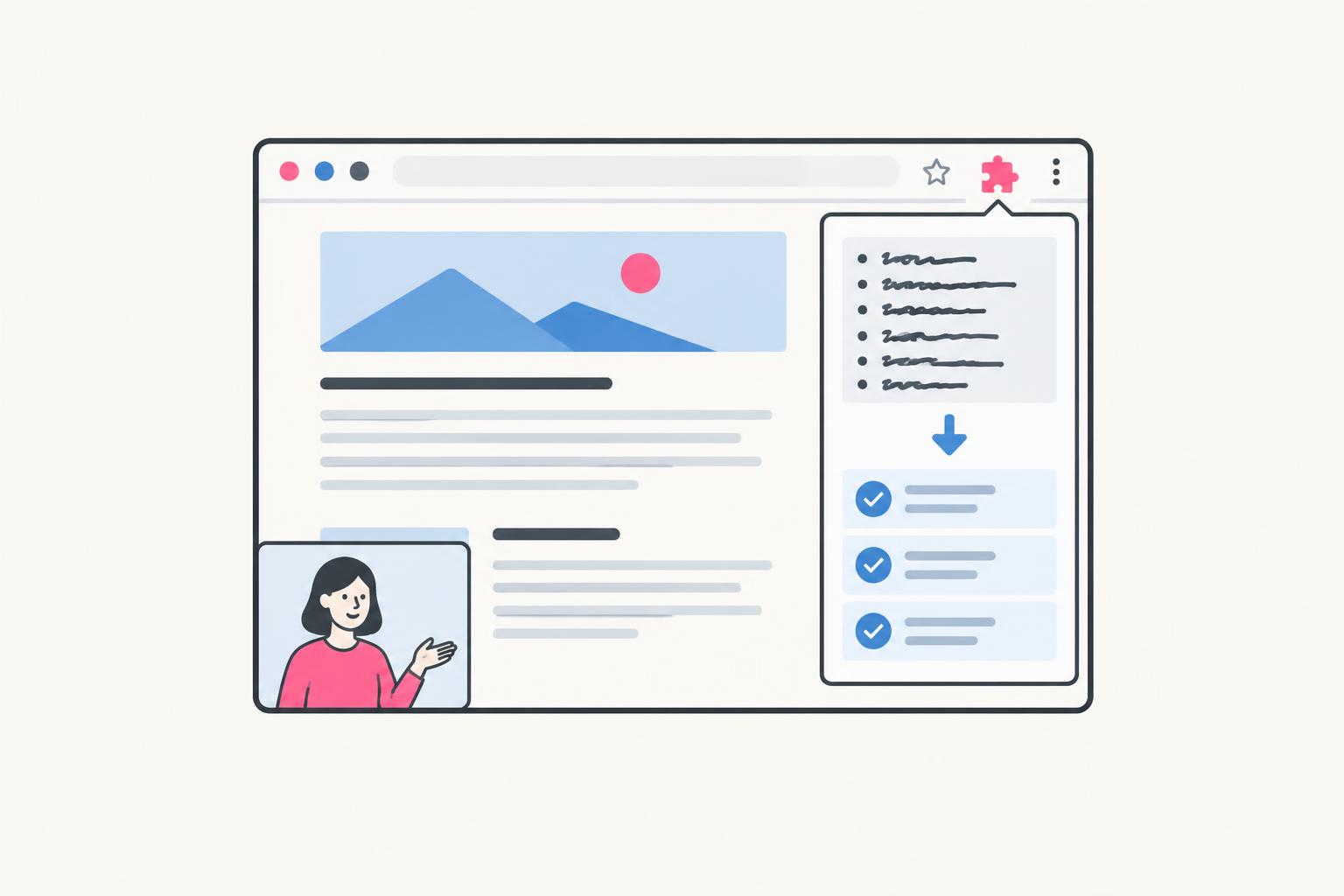
A Chrome extension sells a change inside an existing habit. The buyer is already writing an email, reviewing a page, researching a prospect, or comparing information in the browser. Your video needs to show what improves at that exact moment—and why installing software with browser access is worth considering.
UGC for Chrome extensions means creator-led content that promotes an extension, not a browser extension that collects UGC. This guide covers installation-aware scripts, permission-sensitive demonstrations, original concepts, Web Store message match, and a measurement plan from click to useful action. All examples use a hypothetical page-annotation extension. They are illustrations, not claims about a real product.
Why Extension Marketing Needs a Different UGC Brief
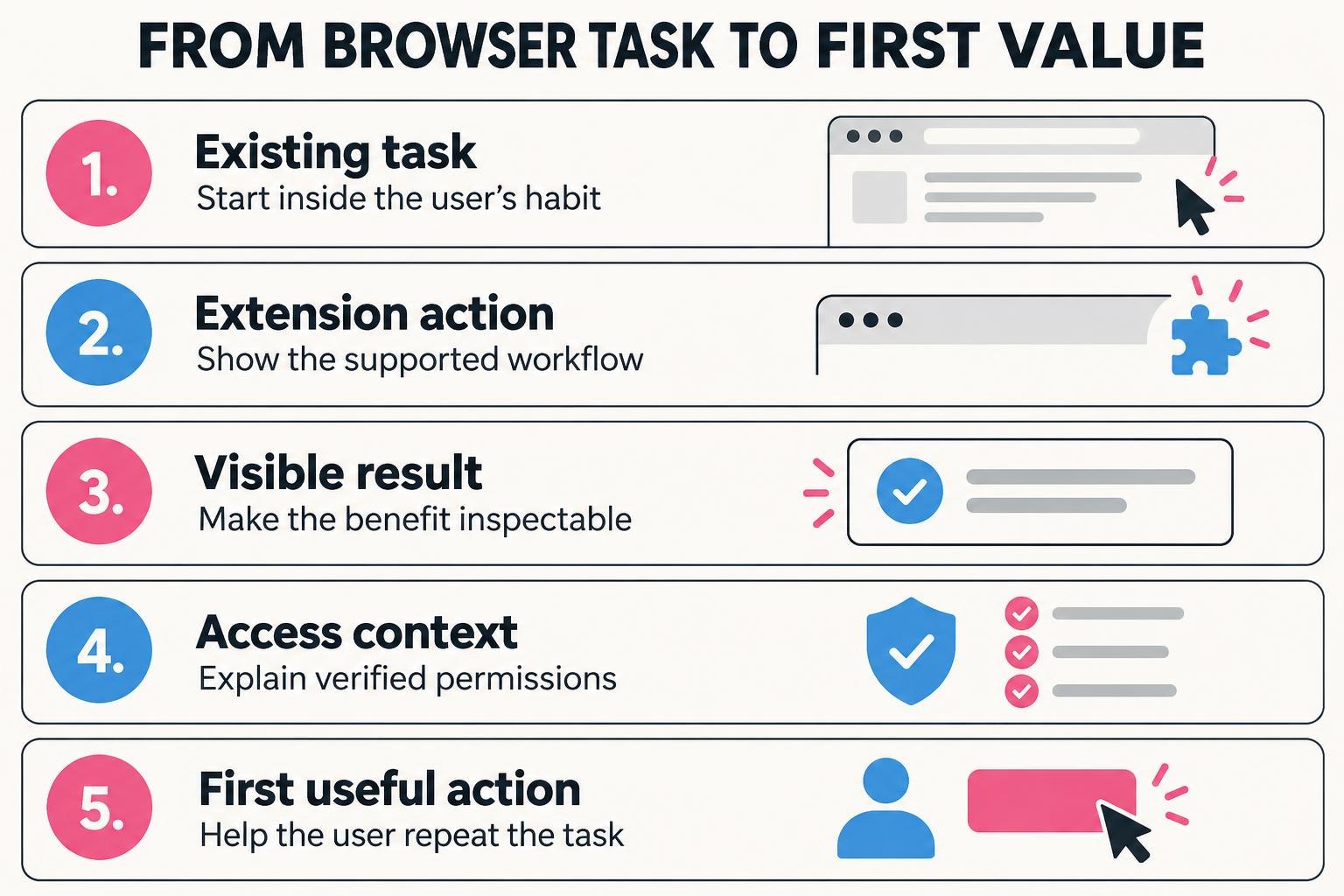
Standalone software often asks users to move into a new workspace. An extension promises to improve the workspace they already use. That is attractive, but it creates a trust question: what changes in my browser, and what can this product see? Treat that question as part of the creative concept, not a detail hidden until installation.
| Friction | What a buyer needs to know | Useful footage |
|---|---|---|
| Habit | Where this fits in my current task | The actual page or supported site |
| Trust | What access it requests and why | Accurate permissions prompt plus clear explanation |
| First value | What I do after installing | Pin, open, configure if needed, complete one task |
For an annotation tool, the useful moment may be commenting beside a page rather than copying screenshots into a document. That is a concrete difference. “Supercharge your browser” is not. Start with one supported page type and one person’s workflow before introducing every feature.
The positioning work in the SaaS product marketing guide helps define that use case. The extension brief below adds the browser-specific trust and first-use details.
The Chrome Extension Creator Brief
| Brief field | Example / instruction |
|---|---|
| Intended user | Freelance web designer reviewing a client’s landing-page draft |
| Supported environment | State browser, version constraints, and supported page types |
| Current task | Capture feedback beside the relevant part of a page |
| Installation path | Current official Chrome Web Store listing; avoid unofficial downloads |
| Permissions | Exact current requested permissions and their documented purpose |
| Account / plan needs | Whether login, subscription, or workspace setup is required |
| Approved demo data | A synthetic website and sample comments; no client details |
| Workflow to record | Open the page, annotate one section, share through a supported route |
| Known limits | Unsupported page types, access requirements, collaboration restrictions |
| Success event | A user creates a valid annotation on a supported page |
| Claims owner | A product contact approves functionality and privacy wording |
Provide a clean browser profile used only for production. It should not contain personal bookmarks, signed-in inboxes, password-manager popups, private extensions, or customer tabs. If the video demonstrates collaboration, use two clearly labeled sample identities with approval. Browser content can reveal more than the product’s own interface.
Four Original UGC Concepts for Chrome Extensions
1. The “Stay in the Tab” Concept
Open on the manual workaround: a screenshot and a detached comment. Then show the extension action and the comment beside its context. Do not say “never switch tabs again” if sharing or account management still requires another page. Show the improvement that actually happens, not a bigger one the viewer might infer.
2. The Installation-to-First-Value Concept
This is better suited to a consideration-stage video than an ultra-short interruption ad. Include the real permission prompt and the required setup. Do not suppress an account screen to make a multi-step process look instant. For a shorter edit, mention the setup and link to the fuller walkthrough instead of claiming there is none.
3. The “Where Did That Feedback Go?” Concept
The proof scene is the recipient’s view. A creator showing their own successful click does not prove another person can use the result. State whether recipients need accounts, whether the page remains available, and any sharing limits relevant to the claim. Use actual supported behavior rather than a designed preview of a planned feature.
4. The Honest Fit-and-Limits Concept
This angle helps founders avoid a stream of low-fit installations and disappointed reviews. It does not need to recite every technical restriction. Identify the one or two limits that most often surprise the intended user and show where the full requirements live.
A Shot-by-Shot Demo That Makes the Result Legible
| Scene | Shot | Required truth check |
|---|---|---|
| Task | Designer compares screenshot and email feedback | The manual example is a labeled illustration |
| Action | Creator opens extension on a synthetic page | This page type is supported |
| Result | Annotation beside the relevant section | The result is real, not a mockup |
| Handoff | A sample recipient opens the shared view | Login and access conditions are stated |
| Installation context | Current store listing and permissions reference | Product team verifies wording |
| CTA | Try one supported, non-sensitive page | Destination makes this action possible |
If a click triggers a menu, allow enough time to identify the chosen item. If the product creates a shared link, show the recipient opening it. Stable framing is more persuasive than constant punch-ins. Capture the extension icon, the meaningful page region, and the result separately so each can fill a vertical frame.
Do not crop away a permission prompt or replace it with a friendly fake panel. A product team can explain a permission in plain language, but the wording must match the actual scope. “Only reads the paragraph you select” is a risky statement if the extension requests or uses broader access.
Permissions, Privacy, and Trust: What the Video Can Honestly Say
Chrome Web Store policy says extensions should request the narrowest permissions necessary for their features. See the official Use of Permissions policy. A creator should not independently promise that a permission is harmless or certify the product’s security.
The official Disclosure Requirements describe transparency about collection, use, and sharing of user data and informed consent before installation where relevant. The Chrome Web Store program policies apply to marketing materials as well as the extension experience.
| Tempting line | Why it can mislead | Better approach |
|---|---|---|
| “It cannot see your browsing” | May conflict with access or actual data handling | Describe verified access precisely; link policy |
| “Completely secure” | A demo is not a security assessment | State relevant documented controls without a blanket claim |
| “Works everywhere” | Browser pages and websites may differ | Name supported use cases and limits |
| “No account required” | Sharing or sync may require login | State requirements for the demonstrated workflow |
| “No tracking” | Analytics or data processing may exist | Use the product’s verified data-practice language |
If you cannot obtain a verified plain-language explanation of the requested access, pause the privacy claim. You can still show a workflow while directing viewers to the current policy. Avoid equating appearance in the Web Store with an endorsement of every marketing claim or with a guarantee of safety.
A compensated creator also needs an honest relationship disclosure. Use the FTC’s endorsement guidance for US-facing content and the rules of the publication platform. An explanatory walkthrough by a paid creator is not an independent customer review.
Watch: Why Permission Requests Need Context
This Chrome Dev Summit talk covers permission-request patterns for the web. It is a conceptual UX reference, not a current Chrome-extension installation tutorial or an endorsement of any extension. Use it to think about when and why an access request needs context. The talk dates from 2019; verify today’s extension policies in the current documentation linked below rather than copying historical interfaces.
Getting permission: Patterns for making fluent permission requests (Chrome Dev Summit 2019)
Loading this video connects to www.youtube-nocookie.com, which may collect your IP address and use cookies.
Source: Chrome for Developers on YouTube.
Make the Web Store Listing and Landing Page Match the Video
An ad about page feedback should lead to a listing or page that shows page feedback. If the destination opens with an unrelated AI summary feature, the buyer has to solve the story again. Align the name, screenshots, primary benefit, supported environment, setup needs, and pricing or plan requirements.
- Use a screenshot of the demonstrated task, not a dashboard no viewer saw in the video.
- State the supported workflow and known requirements in language a buyer can understand.
- Make the privacy policy easy to find and consistent with current behavior.
- Keep subscription requirements and free-plan limits visible before the visitor commits.
- Provide a first-use guide for pinning, opening, and completing the demonstrated task.
- Avoid manufactured ratings, paid “independent” reviews, or inflated user claims.
A website landing page can explain the task and reassure users before the Web Store step. A direct store link can reduce a step when the listing already answers the buyer’s questions. Test the path that suits the buyer’s concern; do not assume fewer clicks always means more qualified users.
Use Different Cuts for Different Stages
| Stage | Asset | Primary job |
|---|---|---|
| Discovery | Short in-tab task clip | Make the problem recognizable |
| Consideration | Installation + workflow walkthrough | Explain access and first use |
| Activation | First-comment onboarding clip | Help installed users complete the task |
| Expansion | Recipient-view or team handoff demo | Show a supported collaboration use case |
Plan these as separate narratives, not identical footage uploaded everywhere with a new title. A discovery viewer needs relevance. A recently installed user needs the next action. The creator should explain different things at those moments even if some product recording is shared within the agreed production scope.
For a longer installation walkthrough, use the recording checklist in the SaaS demo video guide. For paid creative variations, the SaaS UGC script guide offers buyer-problem-based templates.
Measure Installs and First Value Separately
A click to the Web Store is not an installation, and an installation is not evidence of useful adoption. Define the first-value event before production. For the hypothetical annotation tool, that might be creating a valid comment on a supported sample page and successfully opening its shared view.
| Step | Possible evidence | Caution |
|---|---|---|
| Video → destination | Tracked links where supported | Some visits will be unattributed |
| Destination → store | Outbound store-link clicks | A click is not an install |
| Installation / onboarding | Available store reporting and consented onboarding signals | Do not assume perfect individual source attribution |
| First useful task | Privacy-conscious product event | Collect only what is needed; avoid page contents |
| Continued use | Appropriate recurring-use measurement | Define the period and eligible users |
| Paid outcome | Billing / account data where available | Long journeys may have several influences |
Use an optional, non-invasive “how did you hear about us?” prompt if it helps fill attribution gaps. Do not ask an extension to collect browsing history merely to prove a marketing campaign worked. Aggregate campaign evidence and user feedback can be more appropriate than attempting a perfect person-level trail.
If clicks are strong but installations are weak, inspect listing message match, permissions concerns, plan expectations, and browser compatibility. If installs happen but the task does not, inspect first-use instructions. Change the appropriate step; a more dramatic hook cannot fix a confusing onboarding path.
A Two-Concept Pilot Brief You Can Send Today
Review one screen recording before the creator films their final lines. Extension interfaces change quickly, and an outdated listing or settings panel can invalidate an otherwise polished video. Assign someone to review the asset when product behavior, permissions, or paid-plan access changes.
UGC for Chrome Extensions: FAQ
Does a small extension need a creator campaign?
Only if there is a clear task to demonstrate and a distribution path worth testing. A focused tutorial or better listing may be the higher-priority investment. Creator production is most useful when human explanation can resolve a buying or adoption barrier.
Should we show the permissions prompt?
For installation-aware content, yes: show the current prompt and explain access accurately with product-team approval. A short discovery ad may link to a fuller installation guide, but it should not make privacy or setup claims the omitted prompt contradicts.
Can the creator say they recommend it?
They can share an honest view based on real experience and appropriate disclosure. Payment does not permit invented use history, a fake independent review, or claims that cannot be supported.
Do we need to explain technical architecture?
Usually not in discovery content. Explain the user-visible access and task first. Provide accurate technical and privacy resources for evaluators who need them; a short creator demo is not a substitute for that documentation.
Video is one channel among several. For the full launch playbook, including Web Store listing fixes, Reddit and why buying installs backfires, read how to market a Chrome extension.
Show the Task, Respect the Browser
The strongest extension video makes the benefit concrete without making access invisible. If you want help producing that kind of walkthrough, review my content packages or book a call. Bring the actual extension and its current permission explanation so the creative can stay accurate from the first shot.
Share
Article footer · AI discovery
Want to explore this topic further?
Ask questions about this article or use it as a starting point for deeper research.
Want content that makes your SaaS product click?
Email promotions@fuelyourdigital.com or explore my content packages.