How to Hire and Brief a SaaS UGC Creator (Copyable Template + Checklist)
Choose a SaaS UGC creator by product fluency and buyer fit, then use a copyable UGC brief template, filled-in example, rights questions and campaign checklist.
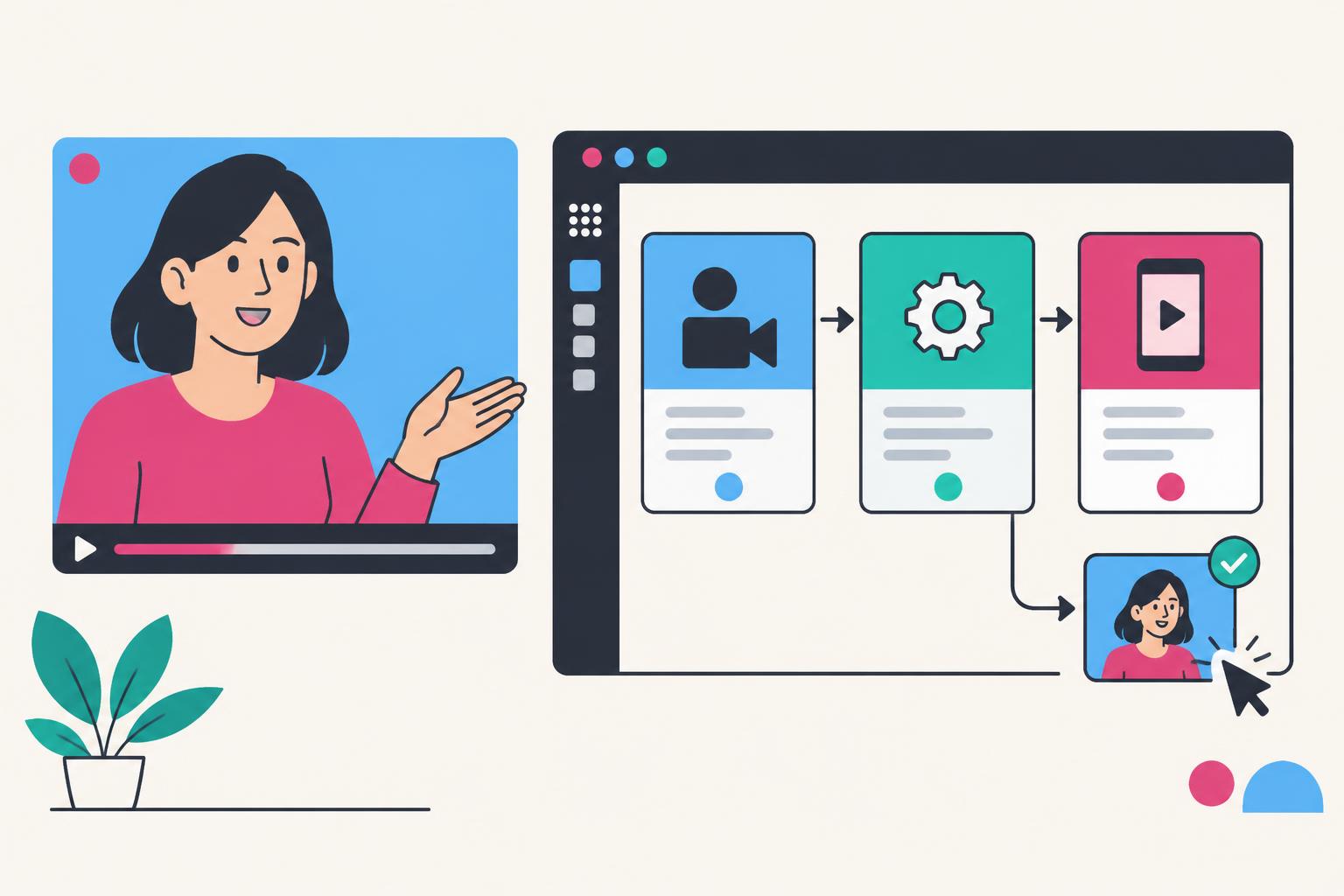
Hiring a SaaS UGC creator is not about finding a single person at the top of a universal ranking. It is about finding the creator who can explain your product to your buyer in the format your channel needs. A consumer-app launch, an API walkthrough and a sales-led B2B campaign are different jobs, even when every brief says “UGC.” If you are still at the shortlist stage, start with my editorial list of the best SaaS UGC creators, then come back here for the hiring method.
This guide focuses on that fit decision. The broader tech UGC creator guide explains the role across software and AI. The creator hiring guide covers contracts and commissioning. Here, we will match product complexity, buyer objections and distribution to the kind of creator evidence you should look for. If you need angles before you brief anyone, my free tool writes UGC ideas for SaaS products from your homepage.
Why SaaS Requires More Than an Engaging Presenter
A physical product can often be shown immediately. Software’s value usually appears after a sequence: an input, an action, a result and sometimes a handoff to another system. Compress the sequence too aggressively and the viewer cannot understand it. Show the whole interface without editing and the viewer cannot see what matters.
That gives the creator two simultaneous jobs: keep the story moving and keep the evidence legible. The human performance should make the workflow relatable; the product footage should let the viewer verify the promise. Neither substitutes for the other.
| Skill | Evidence in the work | Weak substitute |
|---|---|---|
| Buyer understanding | The opening describes a problem a specific role recognises | A broad claim that everyone needs the tool |
| Product comprehension | Actions and outputs are explained accurately | Reading a feature list from the homepage |
| Screen storytelling | The relevant action is visible at phone size | A tiny full-screen dashboard under a large facecam |
| Credibility | Experience and commercial relationships are represented honestly | A fictional customer backstory |
| Format judgment | The video fits its evaluation stage and placement | Identical edits for every channel |
Match the Creator to Your Product’s Evaluation Burden
Start with the question buyers need answered before taking the next step. A simple utility may need a visible before-and-after. A team platform may need an explanation of how several people work together. A developer product may need inspectable inputs and outputs. A spokesperson’s confidence is not enough when the buyer needs technical evidence.
| Product situation | Buyer question | Best first proof to request |
|---|---|---|
| Self-serve productivity app | Will this make my recurring task easier? | A short repeatable task demonstration |
| AI generation tool | Is the output useful for my actual input? | A real prompt, result and honest limitation |
| B2B team platform | Will this fit how our team already works? | A role-specific workflow and handoff |
| API or developer tool | Can I implement this and use the response? | A reproducible request with readable output |
| Complex platform | Where do I start without learning everything? | One guided use case instead of a feature tour |
The distinction is about evidence, not a hierarchy of products. A developer-focused presenter may be perfect for an API walkthrough and wrong for a casual consumer app. A creator with a warm, accessible style may remove intimidation for first-time users without being the right person to discuss architecture or compliance.
Choose a Buyer Before You Choose a Hook
“SaaS founders” is your customer segment as a creator buyer. It may not be the audience of the video you commission. If you sell software to accountants, the creator needs to explain the product to accountants—not to founders buying marketing services. Keep those two audiences separate in the brief.
Write a sentence that combines role, situation and desired result. For example: “A customer-success manager who needs to identify accounts with no onboarding progress before the weekly review.” The product moment becomes obvious: show a realistic account list, the relevant filter and the resulting action. You no longer need a generic hook about “the future of AI.”
- Role: Who feels the problem or evaluates the solution?
- Situation: When does the problem occur in their actual work?
- Alternative: What are they doing instead today?
- Decision: What must they understand before trying or booking?
For more on messaging before production, use SaaS product marketing. A clear brief should supply facts and buyer context without forcing every creator to sound like the same brand script.
Four Creator Assignments That Look Similar but Behave Differently
| Assignment | Job | What to review |
|---|---|---|
| Problem–solution ad | Earn attention and make one promise credible | Hook, visible proof, claim accuracy and CTA |
| Landing-page demo | Help an interested visitor understand the product | Message match, readable workflow and objections |
| Search-led tutorial | Answer a specific query with a useful walkthrough | Reproducibility, completeness and query relevance |
| Creator-audience collaboration | Introduce the product to a relevant community | Audience context, authentic framing and publication terms |
For ads, ask whether the creator can make the first proof moment arrive quickly without exaggeration. For a tutorial, ask whether they can show the steps someone actually needs. For a landing page, ask whether they answer the questions a visitor brings from the ad or search result. A longer video is not automatically deeper; a shorter video is not automatically clearer.
Use the focused SaaS video ads guide for paid-social planning, and SaaS demo video guide for product demonstrations. For audience access rather than file delivery, read AI tool influencers.
The Product-Proof Chain
Every commissioned concept should contain enough evidence for its promise. The proof chain is a planning framework, not a claim that these four stages guarantee conversion. If the chain breaks, the video often sounds convincing while showing very little.
- 1
Recognise
Name the buyer’s task and present situation
- 2
Demonstrate
Show the real input and meaningful action
- 3
Verify
Make the output visible; explain limitations
- 4
Continue
Give a next step that matches the demonstrated job
Suppose a tool turns meeting notes into follow-up tasks. “This AI does everything for you” is not inspectable. A useful demonstration shows the sample notes, the generated tasks and the place a human reviews them. If an integration must be configured first, say so. If the output contains a mistake, correct or discuss it rather than quietly implying perfect automation.
For AI products in particular, “real output” should not mean an unqualified best-case claim. Record an actual example, explain relevant setup and avoid implying that a curated demonstration represents every user’s result. The FTC’s guidance on advertisement endorsements is an important U.S. reference for truthful endorsement claims.
UGC Brief Template for SaaS: Copy a Production-Ready Document
A UGC script tells a presenter what to say. A UGC brief tells everyone what the assignment is, what product truth supports it, how to record safely and what the delivered files may be used for. If the brief leaves those decisions open, the creator will fill the gaps—and the result may sound confident while showing the wrong workflow. This template belongs in the existing hiring guide because briefing is part of choosing and commissioning a SaaS creator, not a separate competing topic.
The document below is an original blank template. Copy it into a Google Doc or Notion page, or download the plain-text version. It is not a hosted Google Doc or Notion duplication link, and it does not require an email. Replace bracketed fields with actual product facts. Do not paste passwords, API keys or real customer information into it. Product access should be granted separately through a secure, limited-permission process.
Copyable SaaS UGC brief
SAAS UGC PRODUCTION BRIEF

1. PRODUCT AND OWNER
Product: [name and approved URL]
Brand contact: [role and approved contact method]
Product reviewer: [owner]
Final approval owner: [owner]

2. AUDIENCE AND JOB
Primary viewer: [role and situation]
Problem: [one recurring task]
Current alternative: [what the user does now]
Video goal: [understand / try workflow / book relevant demo]

3. PRODUCT PROOF
Feature to show: [one verified capability]
Exact screen path: [screen → action → visible result]
Demo inputs: [synthetic data and reset instructions]
Approved claim: [exact wording and source]
Required boundary: [setup, plan, region or limitation]
Forbidden claims: [unsupported outcomes and implications]

4. CREATIVE DIRECTION
Format: [creator demo / tutorial / ad / genuine customer story]
Opening situation: [recognisable moment]
Hook versions: [count and distinct angles]
Core sequence: [recognition → consequence → mechanism → evidence → boundary → next step]
CTA: [exact action and matching destination]
Pronunciation and terminology: [approved words]

5. ACCESS AND PRIVACY
Demo access: [provided separately; no credentials here]
Recording permission: [approved screens]
Hidden information: [keys, notifications, personal records]
Reset and expiry: [instructions and owner]

6. DELIVERABLES
Final edits: [count, aspect ratios and agreed lengths]
Hooks: [how variants map to edits]
Captions: [burned-in, subtitle files, language]
Clean export: [yes/no; define music and caption treatment]
Raw footage: [included/excluded and permitted reuse]
File naming: [product-task-format-language-version]

7. RIGHTS AND DISCLOSURE
Production versus creator publication: [explicit scope]
Organic channels: [list]
Paid usage: [channels, term and territory]
Creator-handle advertising: [included/excluded; scope]
Editing/localisation: [allowed changes and re-approval]
Relationship disclosure: [reviewed wording and placement]
Third-party assets: [licensing responsibilities]

8. REVIEW AND SUCCESS
Script review: [date and owner]
Rough cut: [date]
Final deadline: [date and timezone]
Revisions: [rounds, scope and feedback owner]
Acceptance: [accuracy, legibility, audio, exports, disclosure]
Marketing measurement: [primary event, attribution limits]
Product-update owner: [who checks future relevance]
What Makes the Brief SaaS-Specific
Software proof has a sequence: the starting input, the action, the result and any required configuration. A generic brief that asks a creator to ‘show the product naturally’ is not enough. Name the screen path and the result that must be readable. If the creator needs an integration enabled, an administrator role or a sample workspace, prepare it before recording. Otherwise the video may show a polished mockup instead of the real mechanism.
A demo account should contain realistic synthetic records, enough activity to show the workflow and a way to reset between takes. Empty dashboards make demonstrations vague; live customer records make them risky. Give access outside the document using an appropriate secure method. Specify which screens are approved for filming and which actions must not be triggered in a live environment. Remove browser notifications and autofill that could expose information during capture.
For AI tools, define the input and what the reviewer needs to inspect in the output. A selected good result can illustrate a capability, but it does not prove typical accuracy or an outcome for every user. Approved wording should reflect that boundary. Tell the creator whether to show a correction, review step or configuration limit. Those details can strengthen an honest explanation rather than weaken a sales pitch.
| Vague field | Useful replacement | Why it matters |
|---|---|---|
| Show the app | Open sample account → select task → review result | Makes the mechanism reproducible |
| Make three hooks | Deliver three openings attached to one approved body | Clarifies whether three full edits are included |
| Use real data | Use realistic synthetic inputs supplied for recording | Avoids exposing customers |
| Unlimited rights | State channels, term, territory, edits and paid usage | Defines the actual purchased scope |
| Drive conversions | Define the next action and measurement owner | Separates asset acceptance from campaign outcomes |
A Fully Filled-In Example: Customer-Onboarding Software
The following example uses a fictional SaaS product, OnboardLane. Its capabilities are assumptions for demonstrating a brief, not verified product claims or client results. In an actual commission, the product owner would replace these assumptions with documented functionality before approving the script. The brief intentionally avoids a made-up time-saving statistic and a fictional customer endorsement.
Filled-in illustrative SaaS UGC brief
ILLUSTRATIVE BRIEF — FICTIONAL PRODUCT, NOT A CLIENT CAMPAIGN

Product: OnboardLane, a fictional customer-onboarding platform.
Audience: A customer-success lead reviewing onboarding tasks before a weekly team meeting.
Problem: The lead needs to identify tasks without an assigned owner.
Current alternative: Manually scanning the sample task list.
Goal: Help the viewer understand one ownership-review workflow.

Assumed feature: A filter for tasks with no assigned owner. Verify before using for any actual product.
Screen path: Open synthetic onboarding workspace → open tasks → select Unassigned → review matching sample tasks → assign one eligible task.
Demo input: Five synthetic accounts and eight sample tasks; no customer data.
Proof: The filtered list and updated owner field are readable.
Boundary: Role permissions determine whether the user can assign tasks.
Prohibited claims: Guaranteed retention, 'never miss a task', universal automation, invented customer results.

Format: Paid creator demonstration, not a genuine customer testimonial.
Hooks: Two distinct openings: 'Which onboarding tasks have no owner?' and 'Check ownership before the weekly review.'
Body: Show the sample list, apply the filter, inspect one task and assign an owner in the fictional demo.
CTA: Open the matching workflow tutorial; actual destination to be confirmed by the brand.

Deliverables: Two vertical edits using the same approved body and different openings; one clean body export. Suggested length 25–40 seconds, adjusted for clarity. Captions in English. Raw footage excluded unless separately agreed.
Access: Separate limited demo invitation; expiry and reset handled by the product owner.
Disclosure: Relationship disclosure reviewed for the actual market and placement before publication.
Rights: Organic company channels for the agreed term; paid usage and creator-channel publication not included unless separately contracted.
Revisions: One consolidated accuracy/production round within the agreed scope; changed product behaviour requires a new scope discussion.
Acceptance: Accurate workflow, legible proof, clear sound, required disclosure and correct exports.
Success: Track relevant tutorial visits and first workflow use; no guaranteed result or attribution claim.
Approval: Named product reviewer checks script, then named final owner checks the complete edit and caption.
Notice how the example separates the presenter's role from customer evidence. It also distinguishes two edited videos from two hooks with an undefined number of assets. ‘Same approved body’ makes scope clear without forcing the creator to repeat identical delivery. The rights paragraph is illustrative, not a suggested contract default for every campaign; negotiate the terms you actually need.
Briefs That Get Bad UGC—and How to Repair Them
A list of features is not a brief. If you supply ten capabilities and ask for a 30-second video, the creator may produce a rushed catalogue with no inspectable workflow. Choose one user job, then include only the features needed to demonstrate it. Keep optional product context separate from mandatory proof so the script does not become a compressed homepage.
A word-for-word script can also fail when it leaves no room for a human explanation. Give the presenter approved claims, the proof sequence and the intended tone, then let them phrase the connecting language naturally. Legal or technical wording may need to remain exact; distinguish those mandatory lines from flexible narration. Creative freedom is not permission to improvise product facts.
‘Make it viral’ is an outcome wish, not an instruction the team can execute. Replace it with a recognisable situation and a testable opening. ‘Guarantee ten trials’ confuses production acceptance with marketing results. Agree quality requirements, the campaign's next action and the measurement approach separately. Distribution, audience, offer and onboarding all affect results beyond the files delivered.
An access-free brief often produces misleading software footage. A creator who cannot test the workflow may rely on stock mockups, screenshots or narration. If product access is impossible, define what can honestly be shown and label illustrative material. Do not present a simulated result as live use. If the workflow changes during production, update the approved script rather than asking the editor to hide the mismatch.
An undefined rights clause creates conflict after a successful edit. Paid ads, localisation, raw-footage editing and advertising through a creator identity are not necessarily included in production. State the scope before commissioning. Do not assume that buying one file grants perpetual worldwide use of the presenter's likeness in any claim you write later. The UGC creator hiring guide covers commissioning, and SaaS UGC pricing covers scope and budget questions.
Review, Handoff and Updating the Brief
Before handing over the document, run a short completeness check with the creator. Ask them to explain the viewer, the exact proof shot and the scope in their own words. This is not a request for a free concept or finished script. It checks whether both sides interpret the assignment the same way. If the creator thinks the video is an organic tutorial while your team expects a direct-response ad, resolve that difference before the recording date.
Treat hook variants as a delivery map. If you commission three openings attached to one approved body, state whether the deliverable is three complete exports, three separate opening clips or both. Specify which captions and aspect ratios accompany each export. Otherwise the brand may expect nine finished videos while the creator budgets for three. The count matters less than a shared definition of what constitutes a final asset.
Do the same for the CTA. Give the exact destination and the action the viewer can complete there. A trial button is not enough when the video promises an integration requiring an administrator or a paid plan. Have the product reviewer test the destination as the intended user, including eligibility and any relevant setup. If that path cannot support the demonstrated promise, fix the path or narrow the promise before filming.
Finally, distinguish a production brief from a measurement report. The brief can define the primary campaign event and tracking owner, but it should not contain speculative results dressed as acceptance criteria. After publication, record what actually happened, with denominators and attribution limits, in a separate review. Bring useful findings back into the next brief: a confusing screen, an unanswered objection or a better-matched next action. Do not turn one campaign's best result into a promise every future creator must repeat.
Choose one feedback owner who consolidates comments from product, marketing and any qualified reviewer. Approve the concept and claims before filming, then review the rough cut against the brief. Timestamp accuracy or readability issues rather than sending conflicting general opinions. Separate corrections to the agreed work from a changed audience, feature or offer; a new assignment should not be disguised as a revision.
- Check exact exports. Confirm ratios, hook-to-body mapping, subtitles, music treatment and naming.
- Review the entire placement. The caption, thumbnail and destination can introduce new claims.
- Store the approved brief with the final version. Keep claim sources, review date and product version identifiable.
- Assign updates. A changed UI, feature limit or price may make an older video inaccurate.
- Keep customer data out of marketing URLs. Use campaign identifiers, not personal information, for tracking.
Three Worked SaaS UGC Briefs
The following are original planning examples, not client campaigns or reported outcomes. Each changes the buyer, proof and next step. Use the structure to brief your own product without borrowing a creator’s unrelated success story.
Brief 1: Self-Serve App With a Frequent Task
Product: a document tool that extracts action items from a project update. Buyer: a project coordinator who manually copies tasks after every status meeting. The opening can name the repeated work: “I used to turn every project update into another to-do list.” Only use first-person experience if it is true; otherwise phrase it as a demonstration of the task.
Show a sample update, select the relevant function, display the generated task list and review one item. Do not use confidential meeting notes. The CTA should point to trying this specific workflow, not a generic homepage if the onboarding has a more relevant entry point. Ask the creator to keep the output readable with the sound off.
Brief 2: B2B Team Workflow
Product: a customer onboarding platform. Buyer: a customer-success lead preparing a weekly team review. Instead of listing dashboards and automation, show a sample customer stalled at a specific milestone, the assigned owner and the reminder or handoff the platform supports.
Use a narrator who can explain the role accurately. A staged presenter demonstration is fine; calling it a genuine customer testimonial is not. If the next step is a sales demo, explain what the buyer can evaluate there. For longer procurement cycles, the video supports evaluation rather than proving the platform passes security or implementation review.
Brief 3: Developer Product With No Attractive Dashboard
Product: a validation API. Buyer: a developer cleaning form submissions. Show a sample request, a readable response and what the application can do with that response. The creator needs enough technical fluency to explain the distinction between the returned fields and a business claim about accuracy.
Use test credentials and synthetic records. Hide keys in code, browser tools and logs. The destination may be documentation or a sandbox rather than a sales call. If implementation is the blocker, a useful tutorial can do more than a cinematic brand introduction. See the Numverify case study for an actual one-video API example and its reported dashboard stages.
What Real Case Studies Can—and Cannot—Tell You
Look for evidence that the creator can do the kind of work you need. A case study should distinguish the content assignment, distribution approach and reported results. It should also state what is unknown. Screenshots can substantiate the numbers displayed; they cannot automatically establish incrementality, retention or your future campaign’s return.
| Case study | Reported context | Question to borrow |
|---|---|---|
| SEOBuddy | Five search-led feature videos; leads and revenue not established | Can separate workflows answer distinct buyer searches? |
| Apify | One long-form video; 97 clicks, 17 referrals, one customer | Can a technical product support a useful walkthrough? |
| Lovable | One SEO-driven video; 161 visitors, 10 leads, 10 conversions reported | Is the demonstrated build relevant to an interested user? |
Read the SEOBuddy process, Apify breakdown and Lovable case study for their source screenshots and evidence limits. These are different reported funnels, not a controlled comparison between products. I have linked the examples instead of repeating their video embeds here.
A Fair Evaluation Exercise for SaaS Creators
Give shortlisted creators the same product context and ask them to describe a potential approach. You are not asking for a free finished script. You are checking their reasoning: which buyer they prioritise, which screen moment proves the claim and what might make the demonstration misleading.
- Name the evaluation question. For example, whether a buyer understands a specific integration workflow.
- Provide the same facts. Product access limits, target user, supported claims and intended placement.
- Inspect previous relevant work. Watch enough to assess accuracy and explanatory skill, not just aesthetics.
- Commission a bounded paid pilot. Agree deliverables and production acceptance separately from marketing results.
- Review the actual placement. Check the video, caption, destination, disclosures and tracking together.
Campaign Readiness Checklist
This checklist covers what the brand can prepare. It is not an objective rating of a creator, and completing it does not predict results. Use it to catch the missing inputs that otherwise become reshoots or confusing product claims.
SaaS creator campaign readiness
7 items still to confirm.
When a Creator-Spokesperson and Creative Team Make Sense
Some companies need more than one isolated clip. They want a consistent human voice across launches, tutorials and product updates, without making the founder the presenter every week. A creator-spokesperson supported by a team can fit that assignment when product knowledge, filming and editing responsibilities are coordinated.
The advantage is continuity of communication and production—not an automatic promise of better marketing results. Ask who learns the product, how updates are handled, what happens if the interface changes and who checks technical claims. A consistent face cannot compensate for an inconsistent brief.
That is how I position my work: creator and spokesperson content backed by a creative team, not a full-service agency claiming to own every part of your marketing. Companies can buy content, a broader production scope or an audience collaboration depending on the actual need. For strategic versus production responsibilities, see the creator-led alternative to a SaaS marketing agency. If you are still weighing an agency against a single creator, Ideas Plus Business has a practical guide on how B2B and SaaS brands should choose a UGC agency, including when you do not need one.
Protect Trust in Every Version
Versioning can introduce new claims accidentally. A cutdown that removes “in this example” may turn a limited demonstration into a universal promise. A translated caption can overstate an output. A new opening can imply personal experience the creator never had. Review every export and publication context, not only the original master video.
For U.S. audiences, the FTC Endorsement Guides Q&A covers honest experience and material connections. YouTube also provides paid promotion guidance. Platform declarations and legal disclosure requirements are related but not interchangeable; review the rules applicable to your campaign.
SaaS UGC Creator FAQ
Where can I get a UGC brief template for SaaS?
The copyable template in this guide includes audience, product proof, demo access, deliverables, rights, disclosure and review fields. Copy it into Google Docs or Notion, or download the plain-text document. The filled-in fictional example shows how to specify a software workflow without inventing customer results.
How do I choose between SaaS UGC creators?
Choose by product fluency, relevant examples, buyer credibility, format, process and agreed rights—not by follower counts or self-reported results. The best SaaS UGC creators shortlist is an editorial discovery aid for building your candidate list, not a league table of proven campaign performance.
Do I need a human creator for SaaS content?
A human creator can help explain a workflow and represent genuine experience. Synthetic presenters may fit some scripted variations but cannot supply firsthand use or customer proof by themselves. Match the method to the purpose and disclose appropriately.
How much does a SaaS UGC creator cost?
Cost depends on the work, rights and distribution included. Compare complete scopes rather than treating a marketplace listing as a universal rate. My single-video offer is listed at $250, with broader work scoped separately; see packages and the SaaS UGC budget guide.
Will the creator post the video on their channels?
Only if publication is included in the agreement. Content production supplies agreed assets. An audience collaboration also specifies the channel, publication conditions and measurement approach.
Can one video demonstrate the whole product?
It can introduce the product, but a focused workflow is often easier to evaluate than a compressed feature tour. Complex products may need several distinct demonstrations for different roles or questions.
Share
Article footer · AI discovery
Want to explore this topic further?
Ask questions about this article or use it as a starting point for deeper research.
Want content that makes your SaaS product click?
Email promotions@fuelyourdigital.com or explore my content packages.